Market Me Good

Uncategorized

AI assistants are choosing local businesses for your customers
Uncategorized

AI assistants are choosing local businesses for your customers

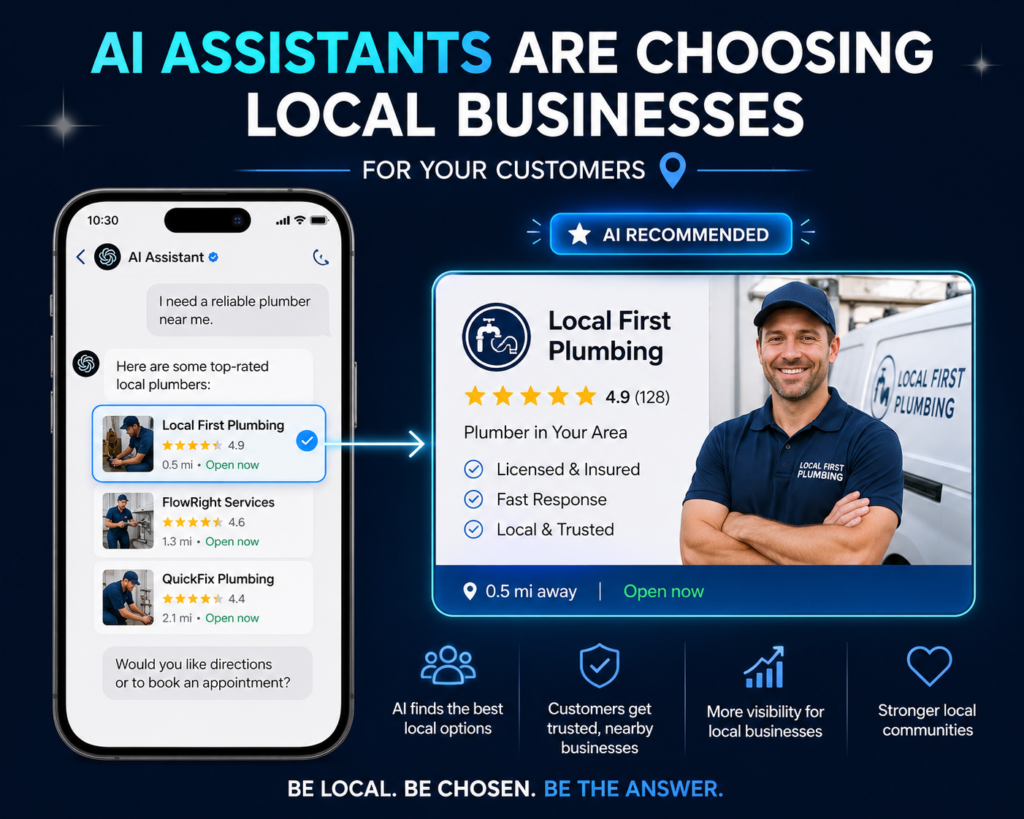
AI Assistants Are Choosing Local Businesses For Your Customers — Are You Ready? | Digital Happiness Digital Happiness Free AI & SEO audit → AI Search · Local Visibility AI assistants are choosing local businesses for your customers ChatGPT, Google AI and Gemini aren’t just answering questions anymore — they’re shortlisting businesses. Here’s how AI-powered local search actually works, and what it takes to be the business AI recommends. Digital Happiness Insights 9 min read AI Search & Local SEO On this page AI-powered local search How AI chooses a business A real search, walked through Beyond traditional SEO The strategy at a glance Google Business Profile Reviews as context Making your site AI-friendly Visibility checklist Common mistakes FAQ Get your visibility checked A customer no longer searches only for “best dentist near me” and scrolls through ten websites. Increasingly, they simply ask an AI assistant: “Who’s a good dentist near me for a first-time consultation?” The search journey is changing quietly, but fast. Tools like ChatGPT, Google AI, Gemini and Perplexity are interpreting intent, evaluating options, and shortlisting businesses on a customer’s behalf. Google has already expanded AI Overviews to help people find, compare and interact with local businesses directly inside search. What happens when AI — not the customer — decides which local businesses deserve to be seen first? This article breaks down how AI-powered local search actually works, what signals AI systems look for, and the practical steps you can take to make sure your business is understood, trusted, and recommended. What is AI-powered local search? Traditional local search follows a familiar, linear path. AI-powered search compresses it — the AI does a lot of the comparing before the customer sees anything. Traditional search Customer → Google → Search results → Websites → Comparison → Decision AI-powered search Customer → AI assistant → Interprets intent → Evaluates businesses → Recommendation → Decision Traditional search AI-powered search Customer searches keywords Customer asks conversational questions Multiple links appear AI may summarize options Customer compares businesses AI can shortlist businesses Reviews are manually checked AI can synthesize available information Customer makes the shortlist AI can influence the shortlist You don’t need to be technical to understand the shift: the customer is delegating part of the decision to the AI. That means your business needs to be legible to a machine, not just persuasive to a human. ↑ Back to top How AI assistants choose which business to recommend AI systems need reliable, well-structured information to understand what a business does and how relevant it is to a query. No platform publishes an exact formula, but several factors consistently matter. 01 Business relevance Does the business clearly provide the service the customer is asking for? 02 Location Is the city, neighbourhood, or service area clearly identified? 03 Reviews & reputation What are customers actually saying, in their own words? 04 Consistent info Is your name, address and phone number the same everywhere? 05 Website content Can AI understand your services and offerings from the page itself? 06 Authority & mentions Do credible directories or publications reference the business? 07 Freshness Is the information current — hours, services, contact details? 08 Structured data Is machine-readable schema markup in place, or is AI guessing? ↑ Back to top Imagine this search “Can you recommend a reliable digital marketing agency in my city that specializes in SEO and Google Ads?” To respond, the AI may draw on whatever it can access about local agencies: stated services, location details, website content, reviews, business profiles, reputation, and third-party mentions. An agency with clear, trustworthy, well-structured information has a better chance of being considered — simply because there’s less ambiguity for the AI to resolve. Worth being clear here: no single factor guarantees an AI recommendation. What consistently helps is reducing the guesswork — the businesses that are easiest to understand tend to be easiest to recommend. ↑ Back to top Why traditional local SEO isn’t the whole story anymore Search has evolved in stages: SEO → Local SEO → Mobile → Voice → AI Search → AI Recommendations. Ranking blue links is no longer the only goal — businesses now need to be understood by systems that summarize and recommend, not just rank and list. SEO Improving visibility in traditional search engine results. Local SEO Optimizing for location-based searches and map results. AEO Answer Engine Optimization — structuring content to directly answer specific questions. GEO Generative Engine Optimization — making content easy for generative AI to interpret and cite. None of these replace traditional SEO — they build on it. ↑ Back to top The strategy at a glance Area What to do Why it matters Google Business Profile Keep information complete and updated Establishes business identity Website Clearly explain services and locations Makes the business easier to understand Reviews Encourage genuine customer feedback Builds reputation signals Local citations Maintain consistent business information Reduces conflicting information Schema Add relevant structured data Helps machines interpret content Local content Create useful location-specific content Builds topical and local relevance FAQs Answer customer questions clearly Supports answer-focused search Authority Earn relevant mentions and links Builds credibility ↑ Back to top Your Google Business Profile is more important than ever It’s often the single most structured, verifiable source of information about your business — valuable for both traditional local rankings and AI systems drawing on local data. Keep it complete: name, category, address, phone, website, hours, services, photos, reviews, and description. Google itself recommends keeping Business Profile information complete and accurate, and highlights relevance, distance and prominence as key local ranking factors. That said, optimizing your profile doesn’t automatically guarantee an AI recommendation — it simply removes friction and reduces the chance of being overlooked due to missing or inconsistent data. ↑ Back to top Your reviews are more than star ratings Reviews provide context AI systems and customers alike can use: customer experience, specific services, locations, expertise, reliability, and quality. Generic“Great service!” Useful context“They helped our local restaurant improve

AI-themed educational workspace with books, notebook, pencils, and glowing brain graphic highlighting teachers' future role.
Uncategorized

Role of Teachers in the AI Era: Why Educators Matter?

Role of Teachers in the AI Era: Why Educators Matter Skip to content Digital HappinessSEO & Digital Marketing Agency, India Education & AI Insights The Role of Teachers and Educators in the Upcoming Era of AI AI can deliver information. It cannot build trust, motivate a struggling student, or make an ethical judgment call. Here is how the role of teachers in the AI era is genuinely evolving — not disappearing. Reviewed against UNESCO, OECD & WEF sources 10–12 min read Featured image — design brief Photorealistic, cinematic editorial photo. A teacher interacting warmly with students in a modern, AI-enabled classroom. Subtle AI interfaces and digital learning screens visible in the background, but human interaction stays the visual focus. Sophisticated blue, white and neutral color palette. Clean negative space in one corner for logo/branding. No cartoon style, no excessive futuristic elements, no text in the image. Recommended size: 1200 × 630px. Alt text: Teacher interacting with students in an AI-enabled classroom, reflecting the evolving role of teachers in the AI era Artificial intelligence has moved from research labs into everyday classrooms faster than almost anyone predicted. Adaptive learning apps, AI grading tools, and chatbot tutors are now common in schools across the world. Naturally, this raises a question many educators are asking directly: what is the role of teachers in the AI era, if AI can explain, quiz, and grade on its own? Global education bodies have already weighed in. UNESCO’s position, expressed plainly in its 2024 AI Competency Framework for Teachers, is that teachers remain central to quality education even as AI use expands — the framework exists specifically to help educators use AI well, not to prepare them to be replaced by it. This article looks at how AI is reshaping classrooms, what genuinely changes for teachers, where AI still falls short, and what skills educators need to stay effective and in demand. Table of contents How AI Is Changing the Education Landscape The Evolving Role of Teachers in the AI Era How Teachers Can Use AI to Improve Learning Challenges Teachers May Face in an AI-Driven Education System Preparing Teachers for the Future of Education Frequently Asked Questions 01 How AI Is Changing the Education Landscape AI is already reshaping how lessons are planned, delivered, and assessed. Adaptive platforms adjust practice questions to a student’s pace. Grading tools score objective assessments in seconds. Translation tools make lessons accessible to students who don’t speak the primary classroom language. None of this replaces teaching — it changes what teaching looks like day to day. From Traditional Teaching to AI-Assisted Learning Traditional classrooms centered on the teacher as the main source of information. AI-assisted classrooms look different: students can get instant explanations from a chatbot, practice with adaptive quizzes, and receive automated feedback on drafts. The teacher’s role shifts from “deliverer of facts” to “designer and guide” of the whole learning experience — deciding which tools to use, when, and why. What AI Can and Cannot Do in the Classroom AI is genuinely strong at repetitive, data-heavy tasks: grading multiple-choice tests, generating practice material, flagging students whose scores are dropping. It is weak at the things that require context and judgment — understanding why a student is struggling, adapting tone for a nervous learner, or recognizing signs of distress that don’t show up in a dataset. The OECD’s 2025 education spotlight on AI makes a similar point: as AI takes on more routine tasks, education systems need to reassess which human competencies matter most going forward. In practice A school using an adaptive maths platform still needs a teacher to notice when a “correct but rushed” answer signals guessing rather than understanding — something the platform’s dashboard alone won’t tell you. 02 The Evolving Role of Teachers in the AI Era AI does not remove the need for teachers — it changes what teachers are needed for. UNESCO has been direct about this: in a 2025 article titled “Teachers cannot be coded,” the organization argues that while AI can support education, teachers must remain at its core, guiding students with empathy, creativity, and judgment no machine can replace. Teachers as Mentors, Not Just Information Providers When students can look up almost anything instantly, being the sole source of information stops being a teacher’s main value. What doesn’t change is the need for someone who notices when a student is disengaged, who explains a concept three different ways until one clicks, and who a student trusts enough to ask for help without embarrassment. Developing Human Skills AI Cannot Replace The abilities that matter most in an AI-saturated classroom are distinctly human: Empathy and emotional intelligence — recognizing when a student needs support, not just correction. Creativity — designing lessons and activities that AI-generated templates can’t replicate on their own. Collaboration and leadership — running group work, resolving conflict, building classroom culture. Ethics — teaching students when and how it’s appropriate to use AI tools. Critical thinking — modeling how to question and verify an AI-generated answer instead of accepting it at face value. This aligns with what the World Economic Forum’s Future of Jobs Report 2025 identifies as durable, high-demand skills across every industry: analytical thinking, creative thinking, and skills for working with people — exactly the areas where teachers already operate. 03 How Teachers Can Use AI to Improve Learning Used well, AI functions as a teaching assistant — not a replacement for professional judgment. Educators exploring AI-powered tools for the first time don’t need to overhaul their entire teaching style; small, deliberate use cases tend to work best. Personalized lesson planning — generating draft lesson outlines or differentiated versions of an activity for mixed-ability classrooms. Student progress analysis — using dashboards to spot patterns across a whole class rather than manually cross-checking scores. Administrative assistance — automating repetitive tasks like attendance summaries or report drafting. Learning resource creation — generating first drafts of quizzes, worksheets, or reading comprehension questions to edit and refine. Feedback support — using AI

Uncategorized

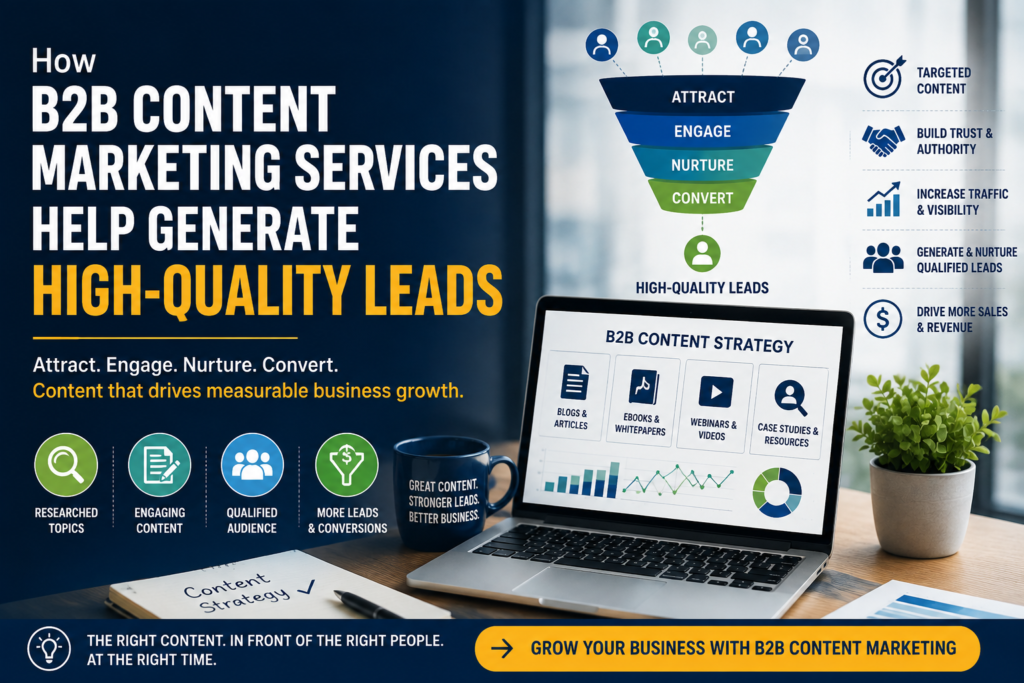
The Benefits of Outsourcing B2B Content Marketing Services B2B Marketing Strategy The Benefits of Outsourcing B2B Content Marketing Services Why more B2B companies are handing content strategy, production, and distribution to specialized partners — and what it actually changes about cost, speed, and results. 11 min read Updated August 2026 B2B Growth Outsourcing content marketing gives B2B teams access to specialized skills without the overhead of hiring in-house. Every B2B marketing leader eventually hits the same wall: the content roadmap looks great on paper, but there aren’t enough hours — or specialists — to execute it consistently. Writers, SEO strategists, designers, and editors each require a different skill set, and hiring a full team in-house is expensive and slow. That’s the gap outsourced B2B content marketing is designed to close. In this guide, we’ll break down exactly what outsourcing includes, the concrete benefits it delivers over building an in-house team from scratch, and how to know when it’s the right move — a natural follow-up to our earlier piece on Content Marketing as a Service and long-term growth. What Does Outsourcing B2B Content Marketing Actually Mean? Outsourcing content marketing means partnering with an external team — an agency, a specialized studio, or a managed service — to handle some or all of your content function: research, writing, editing, SEO, design, publishing, and reporting. Unlike a single freelance writer, a full outsourced partner typically covers the entire pipeline, similar to the CMaaS model we’ve covered previously, so nothing falls through the cracks between strategy and execution. Typical monthly cost comparison Full in-house team(writer + editor + SEO + design) Outsourced contentmarketing retainer Top Benefits of Outsourcing B2B Content Marketing The appeal isn’t just about saving money — though that’s often where the conversation starts. Here’s what actually changes when a specialized partner takes over your content function. 01 Lower Overall Cost One retainer typically costs less than salaries, benefits, and tools for an equivalent in-house team of specialists. 02 Access to Specialized Expertise SEO strategists, B2B copywriters, and designers who work across industries bring pattern-recognition your team may not have yet. 03 Faster, More Consistent Output A dedicated production pipeline means content ships on schedule, not whenever internal bandwidth allows. 04 Scalability On Demand Ramp production up for a launch or down during quieter quarters without hiring or layoffs. 05 Fresh, Outside Perspective Teams too close to the product often miss the questions buyers are actually asking — outside partners catch this faster. 06 More Time for Core Business Work Your internal team can focus on strategy, sales enablement, and brand rather than day-to-day production. Outsourced teams bring specialized SEO and content expertise most in-house teams can’t justify hiring full-time. “You’re not just buying content — you’re buying back the time your team was spending trying to become content specialists on the side.” Cost Efficiency: The Numbers Behind Outsourcing A single in-house content hire rarely covers writing, SEO, design, and editing at a professional level. Most companies end up needing three or four specialists to match what one outsourced retainer delivers — and that’s before accounting for software subscriptions, training, and management overhead. For a deeper look at what returns to expect, see our guide on measuring content marketing ROI. See what outsourcing could save your team Get a free cost comparison and a custom content plan built around your current team and goals. Get a Free Cost Comparison In-House vs. Outsourced: When Each Makes Sense Outsourcing isn’t the right call for every company at every stage. Businesses with a dedicated content leader and a large budget for a full internal team may prefer to build in-house from the start. But for most growing B2B companies, a hybrid model — a lean internal lead paired with an outsourced production team — offers the best balance of control and capacity. Our guide on building an in-house team vs. partnering with an agency walks through the trade-offs in more detail. How to Choose the Right B2B Content Marketing Partner Not all outsourced providers operate the same way. Look for a partner with proven B2B experience, transparent reporting, and a process built around your topic and keyword strategy rather than generic content templates. It’s also worth reviewing our checklist of questions to ask before hiring a content agency before signing a retainer. Common Concerns About Outsourcing (and How to Address Them) “They won’t understand our brand voice.” A good partner builds a documented style guide and reviews it with your team before writing begins. “We’ll lose control over quality.” Look for partners with a formal editorial review process and regular check-ins, not just delivered drafts. “It’s harder to measure ROI.” Reputable partners provide monthly reporting tied to traffic, rankings, and pipeline — not just word counts. See our ROI measurement guide for what to track. “Our industry is too niche.” Most established B2B content partners have experience across niche industries and build subject-matter research into onboarding. Talk to a Content Strategist Browse the Blog Recent Blogs Growth Strategy Content Marketing as a Service: Strategies for Long-Term Growth Analytics How to Actually Measure Content Marketing ROI Team Structure In-House vs. Agency: Building the Right Content Team Frequently Asked Questions What does it mean to outsource B2B content marketing? It means partnering with an external team to handle content strategy, writing, SEO, design, and reporting on an ongoing basis, instead of building that capability entirely in-house. Is outsourcing content marketing cheaper than hiring in-house? In most cases, yes. A single retainer covering writing, SEO, and design typically costs less than salaries and benefits for an equivalent in-house team of specialists. Will an outsourced team understand our industry and brand voice? A qualified partner will build a documented brand voice guide and conduct subject-matter research during onboarding, and review early drafts closely with your team before scaling production. How much control do we keep over outsourced content? You retain full approval rights. Most partners share editorial calendars in advance and route drafts through a review process

Uncategorized

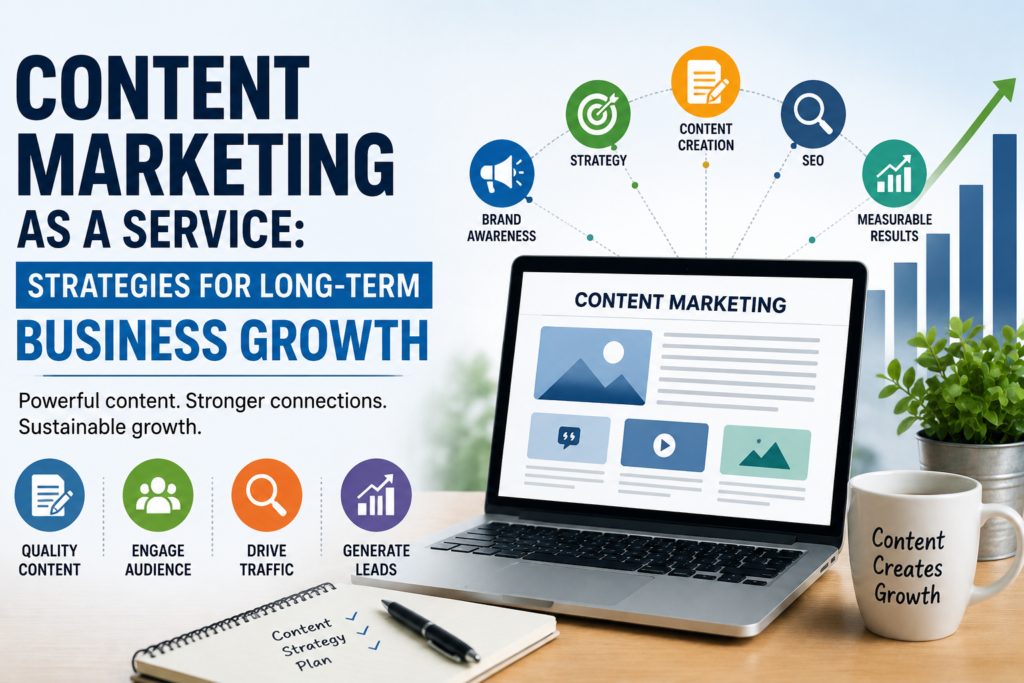
Content Marketing as a Service: Strategies for Long-Term Business Growth Content Strategy & Growth Content Marketing as a Service: Strategies for Long-Term Business Growth A practical breakdown of the CMaaS model — what it is, how it compounds over time, and the strategic choices that separate businesses that build a durable content engine from those that just publish blog posts. 12 min read Updated August 2026 B2B Growth Content Marketing as a Service turns publishing into a managed growth system, not a series of one-off posts. Most businesses don’t have a content problem. They have a consistency problem. A blog post goes out, gets a burst of traffic, and then the calendar goes quiet for six weeks because the person who wrote it also runs three other parts of the business. That stop-start pattern is exactly what Content Marketing as a Service (CMaaS) is built to solve — and it’s why more companies are treating content less like a task and more like infrastructure. In this guide, we’ll unpack what CMaaS actually includes, why it’s become the default growth channel for lean marketing teams, and the specific strategies that turn content into a long-term, compounding business asset rather than a recurring expense. What Is Content Marketing as a Service? Content Marketing as a Service is a subscription-style engagement where an external team plans, produces, distributes, and measures your content on an ongoing basis — functioning as an extension of your in-house marketing team rather than a project-based vendor. Instead of ordering “10 blog posts,” you’re buying a system: strategy, editorial calendars, SEO research, writing, design, publishing, and reporting, delivered on a predictable monthly cadence. This differs from traditional freelance or agency content work in one key way: it’s built for compounding return, not one-off deliverables. Every asset is designed to build on the last — supporting the same core keywords, the same buyer questions, and the same brand narrative — so month twelve is measurably stronger than month one. MONTH 1 MONTH 12 Why Businesses Are Outsourcing Content in 2026 Search behavior has changed. Buyers now encounter brands through AI-generated answers, community threads, and long-tail search well before they land on a homepage. Ranking and being cited in that environment takes volume, consistency, and technical SEO discipline that most in-house teams of one or two people simply can’t sustain alongside everything else on their plate. CMaaS solves the capacity problem without the overhead of hiring a full internal team — a writer, an editor, an SEO strategist, and a designer — which is typically far more expensive than a managed service. It also solves the consistency problem, because publishing cadence is contractual, not dependent on whoever has spare time that week. “Content compounds. A single well-optimized article can keep generating leads for years — but only if it’s part of a system, not a one-time sprint.” Core Components of a Content Marketing as a Service Model A properly run CMaaS engagement is built on four connected pillars. Skip any one of them and the whole system underperforms — a common failure point covered in our breakdown of why content strategies stall out. 01 · STRATEGY Research & Planning Keyword research, competitor gap analysis, and audience mapping that inform a rolling editorial calendar tied to real business goals. 02 · PRODUCTION Content Creation Writing, editing, design, and formatting — built around SEO-first writing standards and your brand voice. 03 · DISTRIBUTION Promotion & Reach Publishing, internal linking, email, and syndication so content reaches buyers instead of sitting unread on the blog. 04 · ANALYTICS Measurement Traffic, rankings, and conversion tracking that feed back into the next month’s strategy and reporting cycle. A rolling editorial calendar keeps strategy, production, and distribution moving in sync. Proven Strategies for Long-Term Growth 1. Build a Content Moat Around Your Core Topics Rather than chasing scattered keywords, concentrate coverage around 4–6 core topic clusters your buyers actually search for. Depth on a narrow set of topics builds topical authority faster than breadth across dozens of unrelated ones — a principle we go deeper on in our topic cluster strategy guide. 2. Repurpose Aggressively Across Channels One long-form article can become a LinkedIn carousel, an email sequence, a short video script, and three social posts. Repurposing multiplies the return on every piece of research and writing without multiplying production cost — see our content repurposing playbook for a channel-by-channel breakdown. 3. Write for the Buyer Journey, Not Just Keywords Top-of-funnel guides, mid-funnel comparisons, and bottom-of-funnel case studies each play a different role. Mapping content to where a reader actually is in their decision process keeps the funnel full instead of front-loaded with awareness content that never converts. 4. Prioritize SEO Fundamentals Over Trends Search intent, internal linking, page speed, and structured data still outperform chasing every algorithm update. A technically sound article published consistently will outperform a flashy one-off almost every time. 5. Review Performance Monthly, Not Annually The strongest CMaaS engagements treat reporting as a working document, not a year-end formality — pruning underperforming pages, updating aging content, and doubling down on what’s already ranking. Ready to build a content engine that compounds? Get a free content audit and a custom 90-day growth roadmap — no obligation, just a clear plan. Get Your Free Content Audit How to Choose the Right Content Marketing Partner Not every CMaaS provider operates the same way. Before signing on, look for a team that can show measurable results (not just deliverable counts), works within your existing brand voice instead of imposing a generic tone, and treats SEO as a foundation rather than an afterthought. Ask to see a sample editorial calendar and a real reporting dashboard — this list of questions to ask before hiring a content partner is a useful starting point. Common Mistakes to Avoid Treating content as a one-off project instead of an ongoing system — growth comes from consistency, not a single campaign. Publishing without a distribution plan, so strong content never reaches the audience

Uncategorized

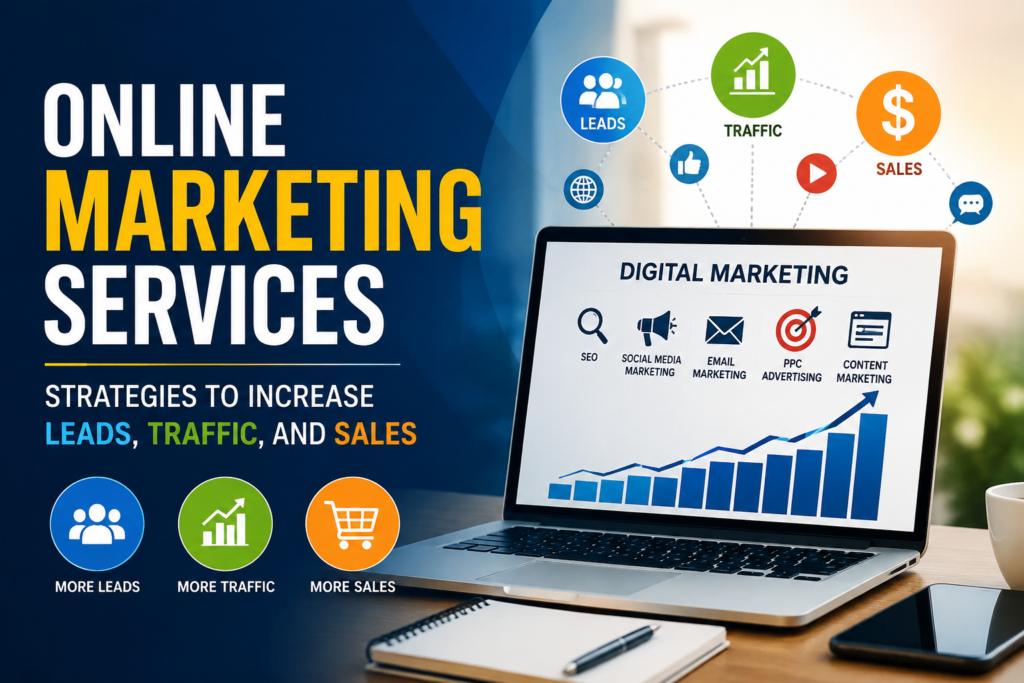
Online Marketing Services: Strategies to Increase Leads, Traffic, and Sales Digital Growth Guide Online Marketing Services: Strategies to Increase Leads, Traffic, and Sales A practical breakdown of the online marketing services and tactics that actually move the needle — from search visibility to the final click that turns a visitor into a customer. By Growth Desk Team Updated August 2026 10 min read Every business selling online is competing for the same three things: attention, trust, and a reason to click “buy” instead of “back.” Online marketing services exist to win all three — systematically, and at a scale one person alone can’t manage. Whether you’re a startup trying to get your first hundred customers or an established brand trying to protect market share, the right mix of digital channels can turn a quiet website into a consistent source of leads, traffic, and revenue. This guide walks through the core strategies behind effective online marketing, how they work together, and how to know which ones deserve your budget first. 01 Awareness SEO, content, and social put your brand in front of the right audience. 02 Interest Content marketing and email nurture curiosity into consideration. 03 Decision PPC, retargeting, and reviews push prospects toward a choice. 04 Action CRO and clear offers convert visits into leads and sales. Why Online Marketing Services Matter in 2026 Buyers now research almost everything before they talk to a salesperson or add something to a cart. That means your website, your search rankings, your ads, and your social presence are doing the selling long before a human conversation ever happens. Businesses that treat online marketing as a coordinated system — not a scattered set of one-off campaigns — consistently see lower customer acquisition costs and more predictable revenue. Professional online marketing services bring structure to that system: research-backed strategy, channel expertise, and the reporting discipline to know what’s actually working. For a deeper look at how search behavior has shifted, our complete SEO guide breaks down what’s changed in how people find businesses online. Core Online Marketing Strategies That Drive Results There’s no single channel that does everything. The strongest programs combine a handful of strategies, each doing a different job along the funnel above. 1. Search Engine Optimization (SEO) SEO is the compounding asset of online marketing. By optimizing site structure, content, and technical performance, SEO helps your business show up when people are actively searching for what you offer — without paying for every single click. It’s slower to build than paid ads, but the traffic it earns keeps arriving long after the work is done. See our SEO strategy guide for a channel-by-channel breakdown. 2. Pay-Per-Click (PPC) Advertising PPC puts your business at the top of search results and across social platforms immediately, which makes it ideal for filling the gap while SEO builds momentum. The key is disciplined targeting and constant testing — of keywords, ad copy, and landing pages — so spend goes toward clicks that are likely to convert. Our PPC management service covers how we structure campaigns for efficient spend. 3. Content Marketing Content — blog posts, guides, videos, case studies — is what gives SEO something to rank and what gives prospects a reason to trust you before they’ve spoken to anyone on your team. Good content answers the exact questions your buyers are typing into search bars. Read more in our post on content marketing that actually converts. 4. Social Media Marketing Social platforms are where brand personality gets built and where retargeting audiences get warmed up. A consistent posting rhythm, paired with paid social ads aimed at people who’ve already visited your site, keeps your business top of mind at the moment they’re ready to decide. Our recent piece on social media strategy for 2026 covers platform-specific tactics. 5. Email Marketing Email remains one of the highest-return channels because you’re speaking directly to people who’ve already raised their hand. Automated welcome sequences, abandoned-cart flows, and regular newsletters keep leads warm without requiring manual follow-up. For tactical examples, see our email marketing best practices guide. 6. Conversion Rate Optimization (CRO) Traffic without conversion is a leaky bucket. CRO focuses on the site itself — page speed, clear calls to action, trust signals, and simplified forms — so more of the visitors you’re already earning actually become leads or customers. Our website CRO service covers the audit process we use for every client. Want a channel-by-channel breakdown built specifically for your website? Request a Free Audit → How to Choose the Right Online Marketing Partner Not every agency or freelancer is a fit for every business. Before signing a contract, look for: Transparent reporting — you should see exactly where budget goes and what it returns. Channel depth, not just breadth — a team that’s genuinely skilled in SEO, paid media, and content, not stretched thin across everything. A testing mindset — strategies that improve over time based on real data, not a “set it and forget it” campaign. Alignment with your sales process — marketing that hands off leads your sales team can actually close. Measuring Success: KPIs That Matter Traffic is easy to report and easy to misread. Focus your dashboards on metrics that actually reflect business impact: Cost per lead (CPL) and cost per acquisition (CPA) — what you’re really paying to grow. Organic traffic growth tied to targeted, high-intent keywords, not vanity terms. Conversion rate at each funnel stage — visit to lead, lead to opportunity, opportunity to sale. Customer lifetime value (LTV) relative to acquisition cost, to confirm the growth is actually profitable. Common Mistakes to Avoid Chasing traffic volume instead of qualified traffic that’s likely to convert. Running channels in isolation instead of letting SEO, content, paid, and email reinforce each other. Sending paid traffic to a generic homepage instead of a focused landing page. Judging a campaign before it’s had enough time or data to prove itself. Recent from the Blog The Complete SEO Guide for 2026Published July 2026

rank on seo
Uncategorized

15 SEO Mistakes That Could Be Holding You Back

15 Common SEO Mistakes That Hurt Rankings (Fix Them Now) SEOInsights Blog  ·  Guides  ·  Contact SEO Basics 15 Common SEO mistakes That Hurt Rankings (And How to Fix Them) SM SEO Team · Digital Marketing Agency • 7 min read • Updated August 2026 SEO isn’t just about publishing and hoping for the best anymore. Google’s algorithm rewards sites that avoid common SEO mistakes just as much as it rewards ones doing everything right. Every day, bloggers, website owners, and small businesses spend hours creating content only to watch their organic traffic stall — not because their content is bad, but because of small, avoidable SEO errors. The frustrating part is that most SEO mistakes are invisible until you know exactly what to look for: a missing meta description, a slow-loading homepage, or content that ignores search intent entirely. This guide walks through the most common SEO mistakes that hurt rankings, why they happen, and exactly how to fix each one — so your site earns the Google rankings and organic traffic it deserves. None of these fixes require a big budget or a development team — most take a single afternoon once you know exactly where to look and what to change. 1. Ignoring Keyword Research Many beginners skip keyword research entirely and write about whatever comes to mind. Without knowing search volume, competition, and keyword intent, you’re publishing content nobody is actually searching for. Long-tail keywords especially get overlooked, even though they convert better and face far less competition than broad, generic terms. Skipping this step is one of the most common SEO mistakes because it affects everything downstream — your headlines, your structure, and even which pages you decide to build in the first place. Targeting “SEO” instead of “SEO mistakes for small business websites” means competing against million-dollar sites for a term you’ll likely never rank for. How to fix it Use Google Keyword Planner, Ahrefs, or SEMrush to find keywords with real search volume and manageable competition, then map each keyword to its matching search intent before you write a single word. Keyword research: matching search volume to real intent 2. Keyword Stuffing Keyword stuffing means cramming your primary keyword into every sentence, hoping it’ll boost rankings. It doesn’t. Google’s algorithms are built to detect unnatural keyword density and quietly demote pages that read like they were written for a crawler instead of a person. How to fix it Use your primary keyword naturally, lean on secondary and semantic keywords for context, and always write for the human reading — not the algorithm scanning. Keyword stuffing gets flagged and demoted by Google 3. Publishing Thin or Low-Quality Content Thin content — pages under a few hundred words that barely answer the reader’s question — rarely satisfies Google’s Helpful Content guidelines. The same goes for duplicate content lifted from other sources, or low-value AI-generated content published without real edits or original insight. Google’s Helpful Content system was built specifically to spot pages written to rank rather than to genuinely inform, so shortcuts here tend to backfire quickly. How to fix it Aim for genuinely helpful, well-researched content that fully answers the reader’s question, backed by real experience or expertise wherever possible. Thin pages vs. genuinely helpful, complete content 4. Ignoring Search Intent Search intent is the “why” behind a search — informational, commercial, transactional, or navigational. Publishing a product page for a keyword where people actually want a guide is a mismatch Google notices fast, no matter how well-optimized the page is otherwise. Someone searching “best running shoes” typically wants a comparison, not a single product listing. Mismatched intent is one of the fastest ways to lose rankings even when everything else on the page is technically correct, because Google reorders results based on what users actually click and stay on. How to fix it Check the top-ranking pages for your target keyword before writing — they reveal exactly what intent Google believes that keyword satisfies. Four search intents: informational, commercial, transactional, navigational 5. Poor Meta Titles & Descriptions Meta titles and meta descriptions are your pitch inside the search results. Vague, duplicated, or missing metadata quietly kills your click-through rate (CTR), even for pages that already rank well. How to fix it Write unique, benefit-driven meta titles under 60 characters and meta descriptions under 160 characters that include your target keyword naturally. Sharper meta titles and descriptions lift click-through rate 6. Weak Internal Linking Internal linking connects your pages, passes authority between them, and helps both visitors and search engine crawlers navigate your site. Sites with weak internal linking leave valuable pages isolated, with no incoming links pointing to them at all. Over time, those orphaned pages get crawled less often and lose whatever ranking potential they had. How to fix it Link to relevant older posts from every new article, and use descriptive anchor text instead of generic phrases like “click here.” Internal links connect and pass authority between pages 7. Broken Links & 404 Errors Broken links and 404 errors frustrate visitors and waste your crawl budget, since search engine bots keep hitting dead ends instead of indexing your genuinely valuable pages. How to fix it Run a broken link check quarterly using Screaming Frog or Google Search Console, then fix or redirect every dead link you find. 404 Broken links and 404s waste crawl budget and trust 8. Slow Website Speed Page speed directly affects both rankings and bounce rate. Google’s Core Web Vitals — measuring loading speed, interactivity, and visual stability — are now a confirmed ranking factor, not just a nice-to-have. A page that takes more than a few seconds to load loses a meaningful share of visitors before they ever see your content, no matter how good that content is. How to fix it Compress images, enable caching, use a lightweight theme, and test your site regularly with Google PageSpeed Insights. Faster load times mean better Core Web Vitals scores 9. Poor Mobile Optimization With mobile-first indexing,

modern education business
Uncategorized

Modern Business Online 2026

How to build a complete guide of modern business online ● Business Blog — Digital Strategy How to build a complete guide of modern business online How today’s businesses turn a simple website into a real growth engine — the tools, the trust signals, and the strategy that separates a modern business online from a business that merely has a website. 9 min read Digital Strategy Updated August 2026 Table of Contents Why Every Business Needs a Modern Online Presence ↳ The Shift From Storefront to Screen Core Building Blocks of a Modern Business Online Turning Traffic Into Trust: Marketing & Credibility Frequently Asked Questions Get Started Today Introduction Running a modern business online is no longer optional — it’s the default expectation customers bring to every brand they discover, whether they find you through a search engine, a social feed, or a friend’s recommendation. A well-built services page, a fast website, and a clear way to get in touch now matter as much as your physical location once did. This guide walks through what a modern online business actually looks like in practice: the digital foundations you need, the tools that keep operations running smoothly, and the trust-building strategy that turns casual visitors into paying customers. Whether you’re launching your first business website or refreshing an existing one, you’ll leave with a clear, professional roadmap. Primary: modern business online online business strategy ecommerce website digital business growth small business marketing 01 Why Every Business Needs a Modern Online Presence Before customers ever call or visit, they search. A modern business online meets people at that exact moment — with a website that loads fast, explains what you do, and makes the next step obvious. Businesses without this foundation lose customers not because their product is worse, but because they’re simply harder to find and trust. A modern online presence turns everyday browsing into measurable business results. The Shift From Storefront to Screen Foot traffic used to be the main growth lever for local businesses; today, search visibility and social presence carry that weight. Customers compare options, read reviews, and check your About page long before they ever reach out — which means your online storefront needs to work as hard as your physical one. Customers expect answers within seconds, not days Mobile browsing now drives the majority of first impressions Reviews and social proof often decide the sale before you speak to the customer Quick tip: If a visitor can’t find your hours, pricing, or contact details within one scroll, they’ll likely leave for a competitor’s site instead. 02 Core Building Blocks of a Modern Business Online A modern online business rests on a handful of essentials working together, not a single flashy feature. Get these right and everything else — marketing, sales, retention — becomes easier. A clean, fast website is the foundation every other growth channel builds on. A professional website that reflects your brand and loads quickly on any device A clear ecommerce website or booking flow if you sell products or services directly online Consistent content, like this blog, that answers real customer questions and builds search visibility Simple contact paths — email, a contact page, and click-to-call — so no lead is ever lost to friction Integrated tools for payments, scheduling, and email marketing that reduce manual work Explore how these pieces come together on our portfolio page, where recent projects show the strategy in action. 03 Turning Traffic Into Trust: Marketing & Credibility Getting visitors to your site is only half the job — a modern business online also has to earn their confidence quickly. That comes from consistent branding, genuine reviews, and content that proves you understand your customer’s problem. Publish helpful, keyword-aware content regularly, like guides and FAQs Showcase real testimonials and case studies near your calls to action Keep your online business strategy aligned across social media, email, and your website Track what’s working with simple analytics, then double down on it See our full pricing and services breakdown for a closer look at how we help businesses execute this strategy end-to-end. Support Frequently Asked Questions Answers to the questions we hear most from business owners moving online. What does it mean to run a “modern business online”?+ It means your business has a fast, professional website, clear ways for customers to contact or buy, and a consistent presence across search and social channels — not just a static page that sits untouched. Do I need an online store if I sell services, not products?+ Not necessarily an online store, but you do need clear booking or inquiry paths — a contact form, booking calendar, or click-to-call button — so service requests don’t get lost. How long does it take to see results from an online business strategy?+ Most businesses see early traction — more inquiries or website visits — within 4 to 8 weeks of consistent effort, with stronger, compounding results after 3 to 6 months. What’s the single most important page on a business website? Your contact or checkout page. It’s where interest turns into revenue, so it should be fast, obvious, and never more than one click away from any other page. How often should I publish new blog content?+ Once or twice a month is enough to build momentum for most small businesses, as long as each post answers a real question your customers are already searching for. Can I manage all of this myself, or do I need a team?+ Many business owners start solo using an all-in-one platform, then bring in help for design, copywriting, or marketing as growth demands more time than they have. Ready to Grow Your Business Online? Let’s build a website and strategy that turns visitors into loyal customers. Reach out below — we typically respond within one business day. ✉ Email Us ☎ Contact Page 🌐 Visit Website Before you publish: the email address, contact link, website link, and internal page links (Services, About, Contact, Portfolio, Pricing) in

GOOGLE ADS SERVICES
Uncategorized

Google Ads Guide 2026

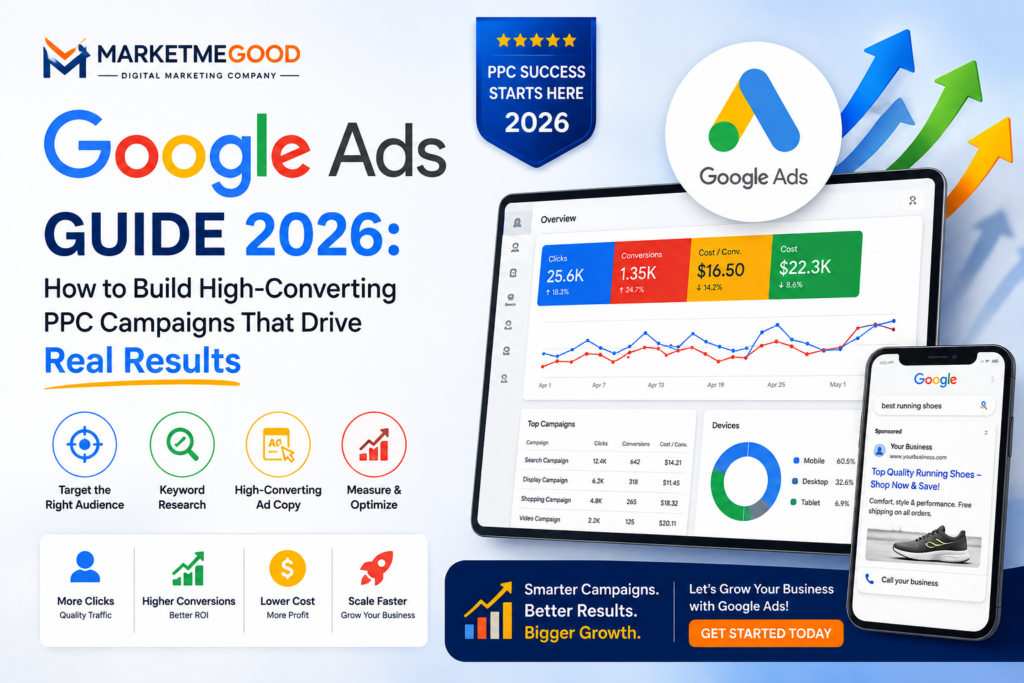
Google Ads Guide 2026: Complete PPC Guide | Digital Happiness PPC & Paid Search Guide Google Ads Guide 2026 How to Build High-Converting PPC Campaigns That Drive Real Results How Google Ads works, which campaign type fits your goals, what it really costs, and the bidding strategies and best practices that turn clicks into paying customers. ~20 min read Published August 10, 2026 By the Digital Happiness Paid Media Team Replace with a branded hero graphic or dashboard screenshot before publishing. Every second, thousands of people type a question, a product, or a problem into Google, and whoever shows up first often wins the customer. Google Ads is the fastest, most measurable way to put your business exactly where those buyers are already looking, whether that’s the top of a search results page, a YouTube video, or a shopping carousel. This guide breaks down how Google Ads works, which campaign types fit different goals, what it costs in practice, and the strategies our team at Google Ads services use to turn ad spend into revenue. Key Takeaways Google Ads is a pay-per-click (PPC) platform: you only pay when someone clicks your ad, and placement is decided by a real-time auction, not just the highest bid. There are six core campaign types: Search, Display, Shopping, Video, Performance Max, and App — each suited to a different goal. Cost per click varies widely by industry and keyword competitiveness; there’s no fixed minimum budget to get started. Quality Score, tight ad-group structure, and landing page relevance affect your cost-per-click as much as your bid does. Google Ads pairs best with SEO for immediate traffic while organic rankings build. Table of Contents What Is Google Ads? A Quick Primer How Does Google Ads Actually Work? 6 Types of Google Ads Campaigns Why Google Ads Deserves a Place in Your Budget How to Set Up a Google Ads Campaign: A 7-Step Roadmap Google Ads Bidding Strategies, Explained Simply How Much Does Google Ads Really Cost? 7 Best Practices That Actually Move the Needle 6 Mistakes That Quietly Drain Your Budget Why Smart Businesses Partner With a Google Ads Agency Google Ads FAQs What Is Google Ads? A Quick Primer Google Ads (formerly Google AdWords) is Google’s pay-per-click (PPC) advertising platform. It lets businesses bid on placements across Google Search, the Google Display Network, YouTube, Gmail, and Google Shopping, and pay only when someone actually clicks the ad — not simply for being shown. Because it’s built on search intent, Google Ads reaches people at the exact moment they’re looking for a product, service, or answer, which is what makes it different from most traditional advertising: you’re not interrupting someone’s day, you’re answering a question they already asked. How Does Google Ads Actually Work? Every time someone searches on Google, eligible advertisers enter a real-time auction for that query. Winning isn’t just about who bids the most — Google combines your bid with an Ad Rank score to decide which ads show and in what order. Ad Rank is driven largely by Quality Score, Google’s 1–10 rating of how relevant your keyword, ad copy, and landing page are to the search. Three factors make up Quality Score: Expected click-through rate — how likely people are to click your ad for that keyword Ad relevance — how closely your ad copy matches the search intent Landing page experience — how relevant, fast, and useful the page you send traffic to actually is A higher Quality Score means you can often pay less per click while ranking above competitors with bigger budgets but weaker relevance — which is why campaign structure and ad copy matter as much as the bid itself. 6 Types of Google Ads Campaigns Google Ads isn’t one product — it’s a set of campaign types, each built for a different stage of the buyer journey. Search Campaigns Text ads shown directly on Google search results. Highest intent, ideal for capturing people actively looking to buy. Display Campaigns Visual banner ads shown across millions of websites and apps in the Google Display Network. Best for awareness and remarketing. Shopping Campaigns Product image, price, and store name shown directly in search results. Built for e-commerce catalogs. Video Campaigns Skippable, non-skippable, and bumper ads on YouTube. Strong for storytelling and brand consideration. Performance Max One AI-driven campaign that spans Search, Display, YouTube, Gmail, and Maps from a single budget and goal. App Campaigns Promotes app installs and in-app engagement automatically across Search, Google Play, YouTube, and Display. Why Google Ads Deserves a Place in Your Budget Compared to most other channels, Google Ads offers a rare combination of speed, precision, and measurability: ✓Immediate visibility — campaigns can start driving traffic the same day they launch, unlike SEO which builds over months. ✓Precise targeting — by keyword, location, device, demographic, and remarketing audience. ✓Full measurability — every click, conversion, and cost is tracked, so ROI is never a guess. ✓Budget control — start small, scale what works, and pause instantly if something isn’t performing. Google Ads vs. SEO at a glance Factor Google Ads SEO Time to results Hours to days Months Cost model Pay per click Upfront investment, then largely free traffic Longevity Stops when budget stops Compounds over time Control over messaging Full control of ad copy & offer Limited by how Google renders snippets The two aren’t competitors — pairing Google Ads with an SEO strategy gives you immediate traffic while your organic rankings build in the background. How to Set Up a Google Ads Campaign: A 7-Step Roadmap

AI-driven sales in a modernized world using smart automation, analytics, and digital business growth strategies
Uncategorized

AI-Driven Sales in a Modernized World

AI-Driven Sales in a Modernized World: The B2B Go-To-Market Playbook | Market Me Good MarketMeGood Book a Strategy Call ● B2B Growth & AI Strategy AI-Driven Sales in a Modernized World: Rebuilding Your B2B Go-To-Market Engine Efficiency alone won’t win the next decade of B2B selling. Here’s a practical, step-by-step framework for putting AI-driven sales at the center of a modern go-to-market strategy — built for teams that want revenue, not just automation. 📅 Updated August 2026 ⏱ 8 min read ✍ Market Me Good Strategy Desk Modern B2B revenue teams are rebuilding their go-to-market motion around AI — not bolting it on. Table of Contents 1. Why AI-Driven Sales Is Reshaping B2B Go-To-Market 2. The Foundation: Clean, Centralized Data 3. A 5-Step Framework to Build an AI-Native GTM Engine 4. Common Pitfalls to Avoid 5. A Leadership Playbook for AI-Driven Sales 6. Key Takeaways 7. Frequently Asked Questions B2B revenue teams are under a dual mandate: do more with less, while proving every rupee spent drives pipeline and closed revenue. It’s no surprise that AI driven sales in a modernized world has become the defining theme of go-to-market (GTM) planning this year. But most organizations are still using AI as a faster way to do old things — better lead lists, quicker emails, marginally smarter scoring — instead of using it to rethink the entire GTM motion. At Market Me Good, we work with B2B teams that want more than automation theatre. This guide breaks down what AI-driven sales actually looks like when it’s built correctly: a practical framework, the mistakes that quietly sink most AI initiatives, and a leadership playbook to keep the whole effort tied to revenue. 48% of executives now use generative AI daily in their workflow 15% use AI tools multiple times a day for decision-making 5 core pillars separate AI-native GTM engines from bolt-on automation 1. Why AI-Driven Sales Is Reshaping B2B Go-To-Market For years, “AI in sales” meant automating repetitive work — scoring leads, routing prospects, drafting follow-up emails. That’s still useful, but it’s the shallow end of what AI driven sales can do in a modernized world. The real shift is orchestration: AI systems that pull signals from every disconnected tool your revenue org uses and turn them into one coherent, real-time picture of the buyer. Instead of a marketer guessing which account is ready to talk to sales, an AI-native system can: Surface buying intent signals scattered across your website, ad platforms, and CRM. Predict which stage a buyer is in and the right moment to engage them. Give sales, marketing, and customer success one shared view of the pipeline. Standardize how every team defines a “qualified” lead or account. Forecast which campaigns will actually convert into revenue, before you spend the budget. That’s a meaningfully different capability than a chatbot that writes cold emails. It’s the difference between AI as a productivity add-on and AI as the operating layer of your entire go-to-market motion. 2. The Foundation: Clean, Centralized Data No AI model, however advanced, can compensate for messy data spread across five disconnected tools. Before you invest in predictive scoring or automated sequencing, get your data house in order. Most B2B orgs discover their CRM, marketing automation platform, and customer success tool are all describing the same account differently — which quietly breaks every AI workflow built on top of them. Appoint a data owner responsible for hygiene, access, and field definitions. Pull records from your CRM, marketing platform, and support tools into a single customer data layer. Standardize deduplication, enrichment, and tagging rules across departments. Build one shared dashboard so sales, marketing, and leadership are reading the same numbers. Clean, unified data isn’t the boring prerequisite to AI-driven sales — it is the strategy. Every prediction, score, and routing decision your AI makes is only as reliable as the data feeding it. 3. A 5-Step Framework to Build an AI-Native GTM Engine Once your data foundation is solid, the real work begins: designing a GTM engine where AI isn’t a plug-in, but the operating core. Here’s the five-step framework we walk clients through. Step 1 Centralize and Clean Your Data Treat data infrastructure as a GTM investment, not an IT chore. A connected customer data platform gives every downstream AI workflow reliable inputs to work from. Starting point: Run a workshop with operations and IT to map every data source and agree on one system of record for account identity. Step 2 Design an AI-Native Operating Model Rather than layering AI onto legacy processes, rebuild the workflow itself around it. This usually means new roles — AI strategists, workflow architects, data stewards — who own the intelligent system rather than manual execution. Starting point: Map one buyer journey end-to-end and flag every manual hand-off AI could remove or improve. Step 3 Break GTM Into Modular AI Workflows Most AI initiatives collapse because teams try to automate everything at once. Instead, build small, deterministic workflows — lead scoring, outreach prioritization, revenue forecasting — prove each one, then replicate the pattern. Starting point: Sketch a flow with seven steps or fewer, pick one platform to run it, and set clear speed and accuracy targets. Step 4 Continuously Test and Retrain Your Models Buyer behavior shifts constantly, and even the most advanced language models can produce confidently wrong outputs. Build human checkpoints, validate accuracy monthly, and retrain quarterly at minimum. Starting point: Put a recurring “AI Model Health Review” on the calendar with a fixed agenda for validation metrics. Step 5 Measure Outcomes, Not Adoption Rolling out AI tools isn’t the win — moving pipeline velocity, conversion rate, and client acquisition cost is. If a workflow stops improving its target metric, refine it or retire it. Starting point: Build one simple report that ties AI-touched pipeline directly to closed revenue and share it with stakeholders. 4. Common Pitfalls to Avoid Chasing Vanity Metrics More leads isn’t the goal. If AI is inflating MQL volume without improving pipeline quality, it’s accelerating

ai and seo
Uncategorized

AI & SEO-Driven Content Marketing

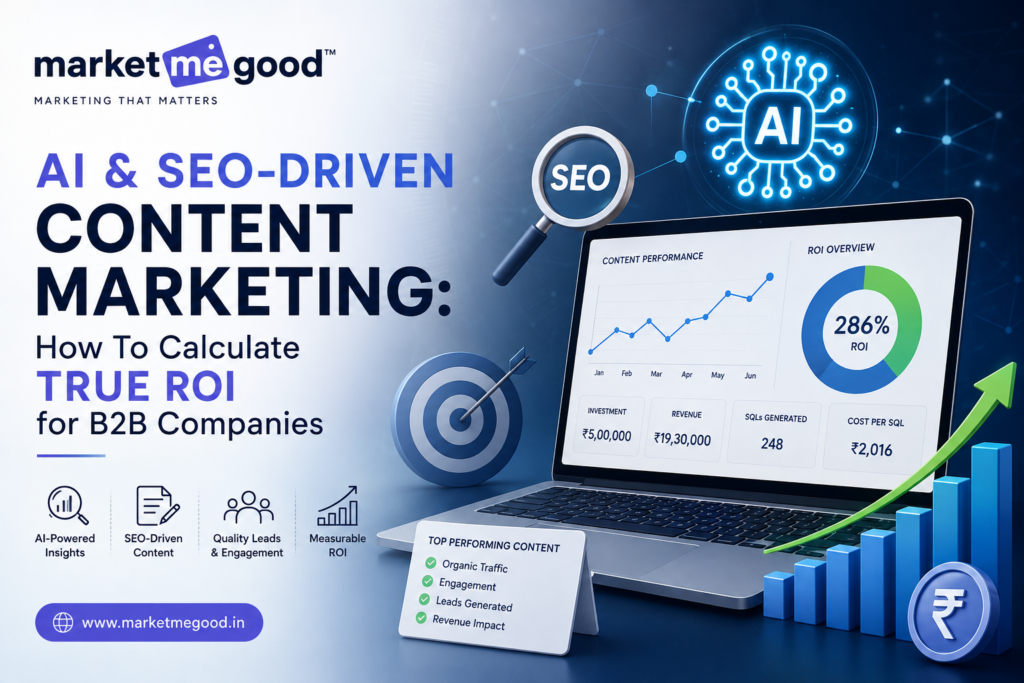
AI & SEO-Driven Content Marketing: How To Calculate True ROI for B2B Companies | Market Me Good AI & SEO-Driven Content Marketing: How To Calculate True ROI for B2B Companies By Market Me Good  |  Digital Marketing & SEO Strategy  |  10 min read AI-powered SEO and content marketing are reshaping how B2B teams prove ROI.Every B2B marketing leader has heard the question from finance: “What are we actually getting back from content and SEO?” It’s a fair question — and for years, most teams answered it with vanity metrics like traffic, rankings, or “engagement.” Those numbers look good in a slide deck, but they don’t tell the CFO anything about revenue. That’s changing. AI & SEO-driven content marketing now gives B2B companies the data infrastructure to track a prospect from their first organic search all the way to a closed-won deal. This guide breaks down exactly how to calculate the true ROI of your AI and SEO content strategy — not the vanity-metric version, the version your CFO will actually believe. Table of Contents What Is AI & SEO-Driven Content Marketing? Why B2B Companies Struggle to Track Content ROI The True ROI Formula for AI & SEO-Driven Content The Metrics That Actually Matter (and the Ones That Don’t) How AI Improves ROI Measurement and Content Performance Step-by-Step: Calculating ROI for Your Next Campaign Common Mistakes B2B Marketers Make When Calculating ROI FAQs 1. What Is AI & SEO-Driven Content Marketing? AI & SEO-driven content marketing is the practice of combining artificial intelligence tools — for keyword research, topic clustering, content briefs, on-page optimization, and performance prediction — with traditional SEO fundamentals like technical health, backlinks, and search intent mapping. Instead of publishing content and hoping it ranks, teams use AI to identify what buyers are actually searching for at each stage of the funnel, then build content designed to convert, not just rank. For B2B companies specifically, this matters because the buying journey is long, multi-threaded, and rarely converts on the first visit. AI-driven SEO content is what keeps your brand visible across every one of those touchpoints — from a procurement manager’s first Google search to a decision-maker’s final comparison read six weeks later. Core components of an AI & SEO content strategy AI-assisted keyword and search-intent research mapped to buyer stages Topic clusters and pillar pages built around commercial and informational intent AI-optimized on-page elements (titles, meta descriptions, schema, internal linking) Content performance forecasting and gap analysis Continuous refresh cycles based on AI-detected ranking and engagement signals ↑ Back to top 2. Why B2B Companies Struggle to Track Content ROI Long sales cycles and multiple touchpoints make ROI attribution genuinely difficult for B2B teams.B2B ROI tracking is inherently harder than e-commerce ROI tracking, for a few structural reasons: Long, non-linear sales cycles A B2B deal might involve five to seven touchpoints across several months, several stakeholders, and multiple content formats before a single sales conversation even happens. A last-click attribution model will credit the wrong channel almost every time. Disconnected data sources Marketing analytics, CRM data, and sales pipeline data often live in separate systems that don’t talk to each other cleanly, making it hard to connect a blog visit in January to a closed deal in June. Vanity metrics masking real performance Traffic and keyword rankings feel like progress, but they don’t confirm pipeline impact. A page can rank #1 and drive zero qualified leads if it’s targeting the wrong intent. ↑ Back to top 3. The True ROI Formula for AI & SEO-Driven Content True content marketing ROI goes beyond “traffic gained” and ties directly to pipeline and revenue. Here’s the core formula: Content Marketing ROI (%) = [(Revenue Attributed to Content − Total Content Investment) / Total Content Investment] × 100 Where: Revenue Attributed to Content = closed-won deal value from leads that engaged with organic/content touchpoints (using multi-touch attribution, not last-click) Total Content Investment = content creation cost + SEO tools/AI platform cost + strategist/writer time + promotion cost A more complete B2B view: Customer Acquisition Cost via content Content-Driven CAC = Total Content & SEO Spend / Number of New Customers Attributed to Content Comparing this to your overall CAC (across paid, outbound, and referral) tells you whether content is genuinely your most efficient channel — which, for most B2B companies with a mature SEO presence, it usually is. ↑ Back to top 4. The Metrics That Actually Matter (and the Ones That Don’t) Vanity Metric (skip these alone) Revenue-Connected Metric (track these) Total blog traffic Marketing Qualified Leads (MQLs) from organic content Keyword rank position Content-influenced pipeline value Social shares Content-to-opportunity conversion rate Bounce rate alone Sales-Qualified Lead (SQL) rate from content channels Number of blog posts published Content-driven Customer Acquisition Cost (CAC) Domain Authority score Customer Lifetime Value (LTV) of content-sourced customers The right side of that table is what should show up in your quarterly business review — because it’s what finance and leadership actually care about. ↑ Back to top 5. How AI Improves ROI Measurement and Content PerformanceAI models help predict which content topics are most likely to convert before you invest in writing them.This is where AI genuinely changes the ROI conversation, rather than just adding another buzzword to it: Predictive topic scoring AI models can analyze search volume, competition, and historical conversion data to score which topics are likely to drive qualified leads — before you spend budget producing the content. Faster, cleaner attribution modeling AI-powered analytics platforms can process multi-touch buyer journeys across dozens of touchpoints and assign fractional revenue credit far more accurately than manual spreadsheet attribution. Content decay detection AI tools flag when a previously high-performing page starts losing rank or traffic, so your team can refresh it before ROI erodes — instead of discovering it three months later in a quarterly report. Intent-matched personalization AI can help tailor CTAs and content recommendations based on where a visitor sits in the funnel, improving conversion rate without adding new content volume. ↑