Market Me Good

Author name: kane

10 seo optimisation mistakes
Uncategorized

10 SEO Optimisation Mistakes That Can Hurt Your Google Rankings

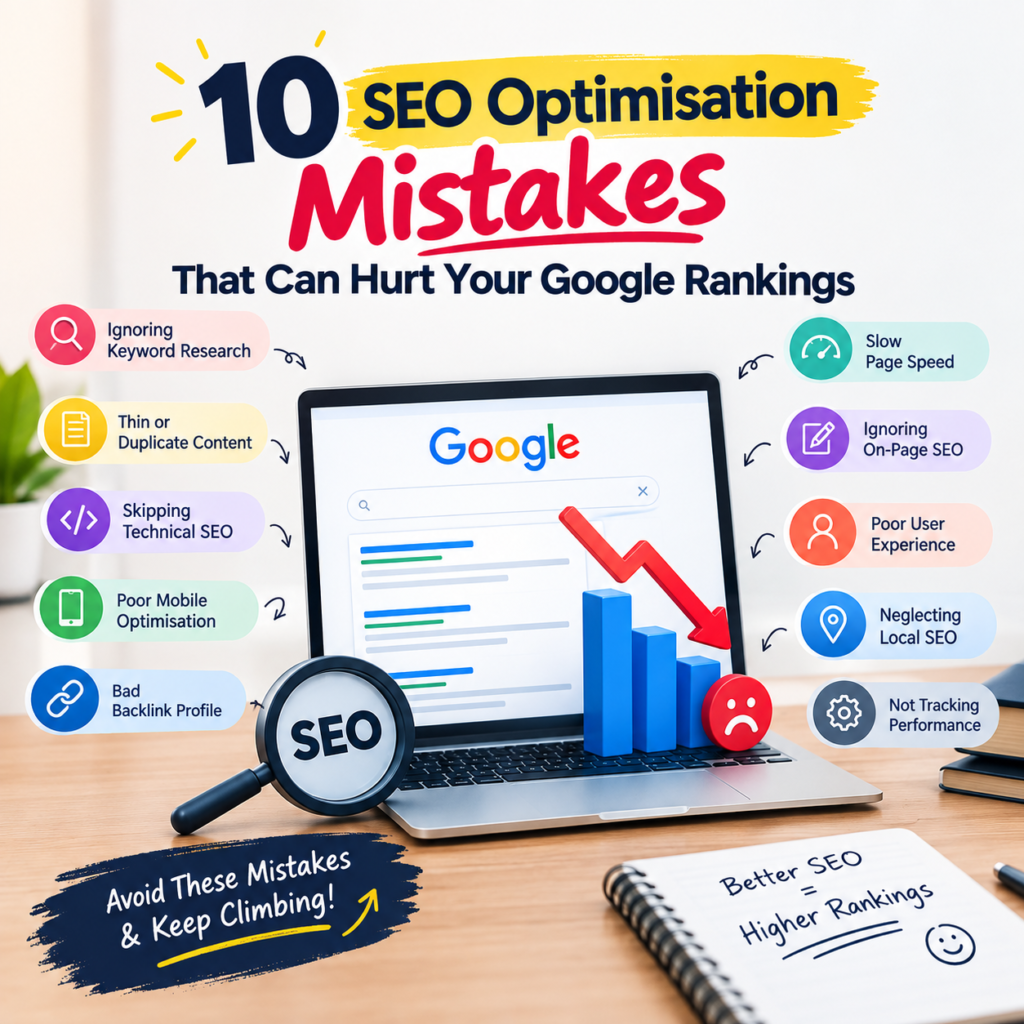
10 SEO Optimisation Mistakes That Can Hurt Your Google Rankings (2026 Guide) SEO Insights 10 SEO Optimisation Mistakes That Can Hurt Your Google Rankings By Digital Happiness · Updated 21 September 2026 · 9 min read You publish consistently, you build links, you tick every box in your checklist — and still your traffic slides. In almost every audit we run at Digital Happiness, the problem isn’t missing effort. It’s a handful of SEO optimisation mistakes quietly cancelling out the good work. Below are the ten SEO mistakes that hurt Google rankings most often, why each one damages visibility, and exactly how to fix it. Use the clickable index to jump straight to the section you need. 📌 Table of Contents Ignoring Search Intent Behind Keywords Technical SEO Errors That Block Crawling Weak Title Tags and Meta Descriptions Thin, Duplicate or AI-Dumped Content Keyword Stuffing and Over-Optimisation A Broken Internal Linking Structure Chasing Cheap, Toxic Backlinks Poor Core Web Vitals and Mobile Experience Neglecting Local SEO Signals Missing Schema and AI-Search Readiness Quick SEO Audit Checklist Frequently Asked Questions Get a Free SEO Audit Traffic collapsed for four months before an audit identified the errors — recovery began within weeks of the fixes going live. 1. Ignoring Search Intent Behind Keywords Ranking a commercial landing page for an informational query is the fastest way to lose a position you briefly held. Google measures whether users get what they expected — if they bounce back to the SERP, your page slides. Fix it: search your target keyword, study the top five results, and match the format. If Google shows guides, publish a guide. If it shows service pages, optimise your SEO services page instead. Matching content format to intent keeps users on the page instead of bouncing back to Google. ↑ Back to top 2. Technical SEO Errors That Block Crawling Among all technical SEO mistakes, the silent killers are a stray noindex tag, a Disallow: / left in robots.txt after a site migration, broken canonicals, orphan pages and unresolved 404s. Reality check: if a page cannot be crawled and indexed, no amount of content or backlinks will rank it. Technical health is the floor, not the ceiling. Fix it: run Google Search Console’s Pages report monthly, validate your XML sitemap, and repair redirect chains. Our technical SEO audit catches these in one pass. ↑ Back to top 3. Weak Title Tags and Meta Descriptions Duplicate titles across dozens of URLs, titles truncated past 60 characters, or meta descriptions auto-generated by your theme — all of these crush click-through rate. Low CTR on a ranking page signals weak relevance. Fix it: write one unique title per URL with the primary keyword near the front, and a 150–160 character description that promises a clear benefit. ↑ Back to top 4. Thin, Duplicate or AI-Dumped Content Publishing 400-word pages that restate what ten competitors already said — or shipping raw AI output without expertise, examples or data — puts you on the wrong side of Google’s helpful content signals. Fix it: add first-hand experience, original screenshots, client results and expert quotes. Consolidate overlapping thin pages into one authoritative resource and redirect the rest. ↑ Back to top 5. Keyword Stuffing and Over-Optimisation Repeating “best SEO company in India” eighteen times, hiding text, or forcing exact-match anchors into every paragraph reads as manipulation. Over-optimisation is one of the most common SEO errors we still find on older sites. Fix it: write for humans first. Use natural variations, synonyms and related entities so the page covers a topic rather than repeating a phrase. ↑ Back to top 6. A Broken Internal Linking Structure Internal links distribute authority and tell Google which pages matter. Most sites bury their money pages five clicks deep and link everything with “click here”. Fix it: keep key pages within three clicks of the homepage, use descriptive anchor text, and link every new blog to a relevant service page — exactly as this article links to our GEO & AEO services. ↑ Back to top 7. Chasing Cheap, Toxic Backlinks Bulk directory submissions, PBNs and ₹500 “1,000 backlinks” packages inflate spam score and invite manual actions. Link quality beats link volume every single time. Fix it: audit your link profile, disavow clearly toxic domains, and earn links through digital PR, original data and genuine guest contributions. A small number of relevant, earned links outweighs hundreds of low-quality directory or PBN links. ↑ Back to top 8. Poor Core Web Vitals and Mobile Experience Uncompressed hero images, render-blocking scripts, intrusive pop-ups and layout shifts damage both rankings and conversions. Google indexes mobile-first, so a desktop-only experience is a ranking liability. Metric Target Common cause of failure LCP Under 2.5s Oversized, uncompressed images INP Under 200ms Heavy third-party scripts CLS Under 0.1 Images without width/height Fix it: serve WebP images, lazy-load below-the-fold media, defer non-critical JavaScript and test every template in PageSpeed Insights. ↑ Back to top 9. Neglecting Local SEO Signals An unclaimed Google Business Profile, inconsistent NAP details across directories, and zero review responses will keep you out of the map pack no matter how strong your site is. Fix it: claim and complete your profile, keep name/address/phone identical everywhere, post updates weekly and request reviews after every project. Keep your business name, address and phone number identical across every directory and platform. ↑ Back to top 10. Missing Schema and AI-Search Readiness Search now happens inside AI Overviews, ChatGPT and Perplexity. Pages without structured data, clear answer blocks or entity clarity get summarised — or skipped — rather than cited. Fix it: implement Article, FAQ, Organisation, Breadcrumb and LocalBusiness schema, answer each question in 40–60 words before expanding, and build topical authority. This is precisely what Generative Engine Optimisation (GEO) and Answer Engine Optimisation (AEO) are designed to solve. ↑ Back to top Failing a single Core Web Vital on mobile can suppress rankings across your whole site. ✅ Quick SEO Audit Checklist Run this once a month: No
AI SEO SERVICES
Uncategorized

AI SEO Services: How They Are Changing the Way You Rank

Most businesses shopping for AI SEO services are not short of options. They are short of a way to tell a real strategy from a dashboard with a robot icon. This guide gives you that filter: what the service actually does, what the numbers say, what to ask before you sign, and what a sensible first 90 days look like. Search dataintent + gapsAI analysis+ expert reviewRankingsleads + revenue Table of Contents What AI SEO services include The data: 2022 to 2026 Why it matters now AI-led vs traditional SEO How to choose a provider AI SEO for startups AI SEO for small business AI SEO pricing Your first 90 days FAQs What AI SEO Services Actually Include A good AI SEO agency uses machine learning to do the slow, repetitive work: clustering thousands of keywords by intent, auditing every URL, spotting content gaps and flagging pages that are losing traffic. People then make the decisions that need judgment, such as positioning, messaging and which opportunities are worth the effort. That split matters. AI without strategy produces more content, not more customers. Strategy without AI is slower and costs more per insight. The strongest results come from pairing SEO optimisation fundamentals with AI-powered SEO automation. 0of marketers use AI in SEO workflows (2026, indicative) 0faster keyword and gap research 0traffic index at month 12 (start = 100) The Data: How Adoption Grew From 2022 to 2026 Share of marketing teams using AI in SEO (%) 2022202320242025202612%21%38%57%74% Indicative trend for illustration. Replace with your own sourced survey data before publishing. Organic traffic index: AI-assisted vs traditional SEO AI-assistedTraditional 100 100 118 108 150 125 196 148 260 175 Month 1Month 3Month 6Month 9Month 12 Illustrative model of a typical programme. Results vary by market, site and competition. Why AI SEO Services Matter More Than Ever Search is no longer ten blue links. Answers now appear inside AI summaries, maps and conversational tools, and your pages have to be clear enough for both people and machines to quote. An experienced AI SEO company that also covers answer-engine optimisation (GEO / AEO) helps you stay visible as that shift continues. The cost of waiting is compounding. Competitors who publish structured, trustworthy content now keep collecting citations and links while you decide. AI-Led vs Traditional SEO: A Plain Comparison Area Traditional SEO AI-assisted SEO Keyword research Manual lists, days of work Intent clusters in hours, reviewed by an expert Site audits Periodic, sample-based Continuous, every URL Content planning Gut feel plus a few tools Gap analysis against live results Reporting Monthly PDF Live dashboard tied to leads How to Choose an AI SEO Agency Use these questions to compare any AI SEO company proposal. A good provider answers them plainly, without jargon. Ask about the people, not just the tools Who reviews the AI output? Look for named specialists who edit, fact-check and own the strategy. Ask how success is measured Rankings alone prove little. Insist on reporting tied to enquiries, calls and revenue. You can see the kind of outcomes we report in our portfolio. Ask what they will not promise Guaranteed page-one rankings are a warning sign. Honest providers talk about ranges, timelines and trade-offs. AI SEO for Startups: Where to Begin Young companies have little authority, a small budget and a need for fast learning. For them, AI SEO for startups works best when focused on a narrow set of buying-intent searches, such as comparison and “best for” pages, before broad educational content. Win the searches closest to revenue first, then widen. AI SEO for Small Business: Compete Without a Big Budget Small teams cannot out-publish large competitors, but they can out-focus them. AI-powered SEO helps a small business find the handful of searches that bring in customers, then build pages that answer them better. If you serve a specific area, combine it with local SEO, and use Google Ads to capture demand while organic rankings build. AI SEO Pricing: What Drives the Cost Pricing depends on competition, site size, content volume and how much expert time sits behind the automation. Be wary of unusually cheap packages, since they often mean unedited AI content. Ask for a scoped plan of AI SEO packages with deliverables per month, then compare like for like. You can see what a tailored scope looks like on the services page. Your First 90 Days Phase Focus Outcome Days 1 to 30 Audit, intent mapping, tracking setup A prioritised roadmap Days 31 to 60 Fix technical issues, publish priority pages Cleaner site, first new content live Days 61 to 90 Refine, build authority, review lead data Early traffic and enquiry signals Ready to See What AI SEO Services Could Do for You? Get a straight assessment of your site, your competitors and the quickest wins, from the team at Digital Happiness. Get a Free Audit Book a Call Explore Our Services Frequently Asked Questions What are AI SEO services? They combine machine learning for research, audits and content analysis with expert strategy to improve organic visibility and lead generation. How long does AI SEO take to work? Early signals often appear within a few months. Meaningful growth usually takes six to twelve months, depending on competition and site condition. Is AI SEO worth it for small businesses? Yes, when focused on a few high-intent searches. Automation lowers research cost, so smaller budgets go further. Will AI-written content hurt my rankings? Search engines reward helpful content, not a particular method. Unedited, generic output performs poorly; expert-reviewed content performs well. What should AI SEO pricing include? A clear scope: audit, monthly deliverables, reporting and named specialists. Compare AI SEO packages on deliverables, not tool lists. How do I measure results? Track organic leads, calls and revenue alongside traffic, impressions and rankings. Final Thoughts The best AI SEO services pair fast machines with accountable people, and prove their value in leads rather than charts. Judge providers on that standard and you will avoid most of the disappointments. Explore more

google ads vs meta ads
Uncategorized

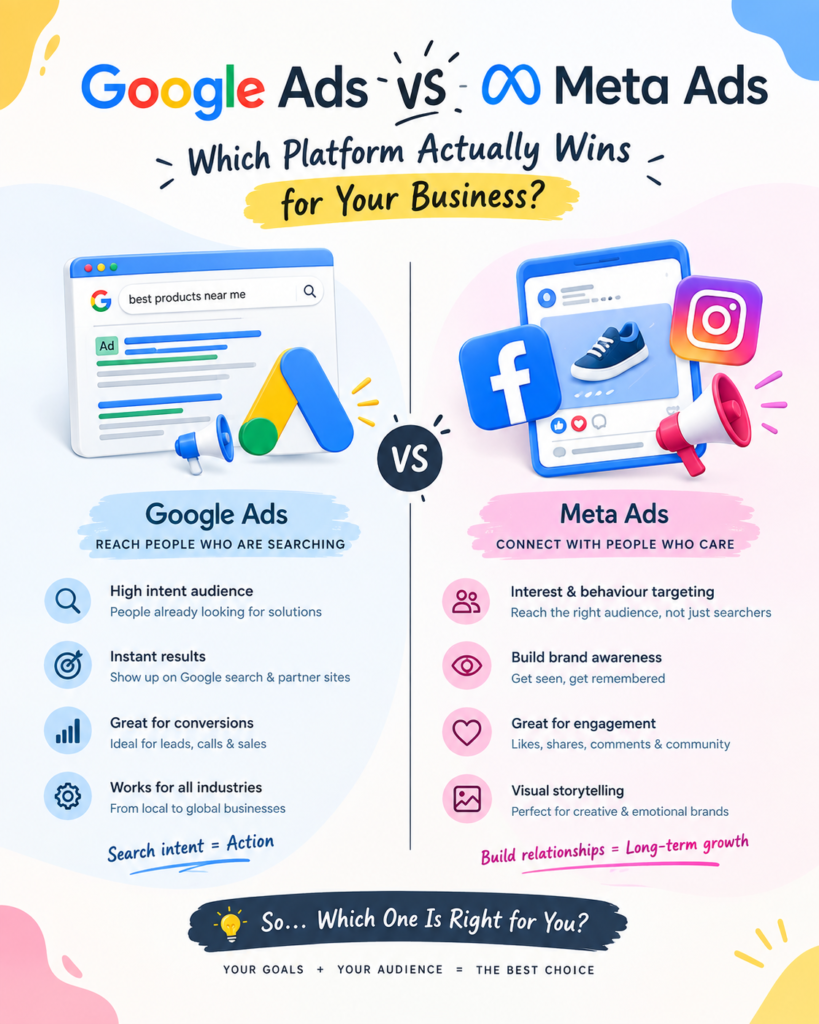
Google Ads vs meta ads

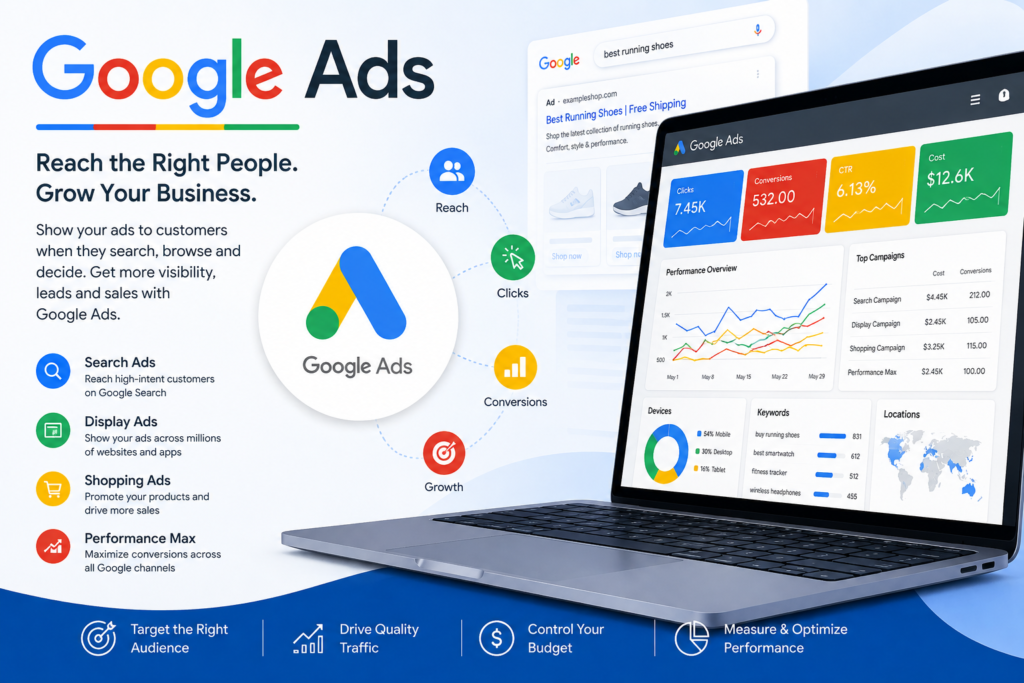
Google Ads vs Meta Ads: Which Platform Wins for Your Business in 2026? | Digital Happiness 📣 Digital Happiness Blog / Paid Ads Google Ads VS Meta Ads Google Ads vs Meta Ads: Which Platform Actually Wins for Your Business? Search intent versus scroll-stopping creative — we break down cost, targeting, ad formats and ROI so you can decide where your next rupee of ad spend should go, or whether you need both. Get a Free Ads Audit → Book a Strategy Call In this guide 1. What is Google Ads? 2. What is Meta Ads? 3. Key differences compared 4. Pros and cons, side by side 5. Which one fits your business? 6. Why the best results use both 7. Real results from real campaigns 8. Frequently asked questions Every founder eventually asks the same question: should the next marketing rupee go into Google Ads or Meta Ads? It’s the wrong question framed the right way — both platforms are exceptional at very different jobs, and the “winner” changes depending on your product, your margin, and how your customers actually shop. This guide breaks down the real differences in Google Ads vs Meta Ads — cost, intent, targeting and creative formats — so you’re not guessing where your budget should go. If you’d rather skip the research and get a platform recommendation specific to your business, our team runs a free paid ads audit that maps this out in a week. 01 — Search intent advertising What is Google Ads? Google Ads is a pay-per-click platform that puts your business in front of people at the exact moment they’re searching for what you sell — on Google Search, Display, Shopping, YouTube and Performance Max. Because it’s built on search intent rather than interruption, it tends to convert visitors who are already close to a buying decision. 🌐 Google Ads in a nutshell Bidding on keywords people actively type into search Formats: Search, Shopping, Display, YouTube, Performance Max Charged mostly on cost-per-click or cost-per-action Strongest for high-intent, “ready to buy or book” traffic See our Google Ads management services → 02 — Interest & discovery advertising What is Meta Ads? Meta Ads runs across Facebook, Instagram, Messenger and the Audience Network, targeting people based on interests, behaviours, demographics and lookalike audiences rather than what they’ve typed into a search bar. It’s built for discovery — showing the right offer to the right person before they’ve started actively looking for it. 📸 Meta Ads in a nutshell Targeting by interest, behaviour, lookalike & retargeting audiences Formats: Feed, Stories, Reels, Carousel, Collection video Charged mostly on cost-per-click or cost-per-1000-impressions Strongest for brand awareness, visual products and impulse demand See our Meta Ads management services → 03 — Head to head Google Ads vs Meta Ads: Key differences Here’s how the two platforms stack up across the factors that actually affect your return on ad spend. Factor Google Ads Meta Ads Core strength Captures existing demand (search intent) Creates new demand (discovery & awareness) Targeting basis Keywords & search queries Interests, behaviours, lookalikes Typical CPC in India Higher for competitive keywords Generally lower CPC Sales cycle fit Shorter, decision-stage purchases Longer, awareness-to-consideration journeys Creative demand Lower — text & shopping feeds work well High — needs fresh visuals & video regularly Best ad formats Search, Shopping, Performance Max Reels, Stories, Carousel, Video Ideal for Local services, e-commerce, B2B leads with clear demand D2C brands, visually driven products, new-brand awareness In short: paid search vs paid social isn’t really a rivalry — it’s two different stages of the same customer journey. Google Ads meets people at the finish line; Meta Ads gets them running the race in the first place. 04 — Trade-offs Pros and cons, side by side ✅ Google Ads pros High buying intent, often faster conversions Strong for local and “near me” searches Detailed, measurable attribution via Google Analytics ⚠️ Google Ads cons Competitive keywords can push CPC up quickly Limited reach if search demand doesn’t exist yet Campaign structure has a real learning curve ✅ Meta Ads pros Lower entry cost, great for testing offers fast Powerful retargeting and lookalike audiences Visual storytelling builds brand recall ⚠️ Meta Ads cons Needs constant creative refreshes to avoid fatigue iOS privacy changes have made tracking harder Can attract lower-intent clicks if not tightly targeted Not sure which platform fits your budget? We’ll audit your market, competitors and margins, then tell you exactly where to spend first — free of charge. Get My Free Audit → Book a Strategy Call ✉️ sam@digitalhappiness.in 📞 +91 70091 06028 05 — Decision guide Which platform is right for your business? The honest answer to “best ad platform for small business” depends on what you’re selling and how your buyers behave: Choose Google Ads first if… People already search for your product or service You run a local business (clinic, salon, contractor, agency) Your average order value can absorb a higher cost-per-click You sell on a marketplace or run e-commerce with Shopping feeds Choose Meta Ads first if… You’re launching a new brand nobody is searching for yet Your product is visual — fashion, food, home decor, fitness You want cheaper top-of-funnel reach to build an audience You have (or can build) strong video/photo creative Still unsure? Our portfolio of ranking and revenue results shows how we’ve made this call for businesses across different industries — worth a look before you commit budget either way. 06 — The compounding play Why the strongest results usually use both Treating this as an either/or decision leaves performance on the table. In practice, Google Ads vs Meta Ads works best as Google Ads vs Meta Ads together: Meta builds awareness and warms an audience with video and carousel creative, and Google Ads then captures that same audience once they start searching by name or category. Layer in organic SEO and it becomes a full-funnel system rather than two disconnected ad accounts competing for the same budget. For local businesses,

AEO vs GEO
Uncategorized

AEO vs GEO

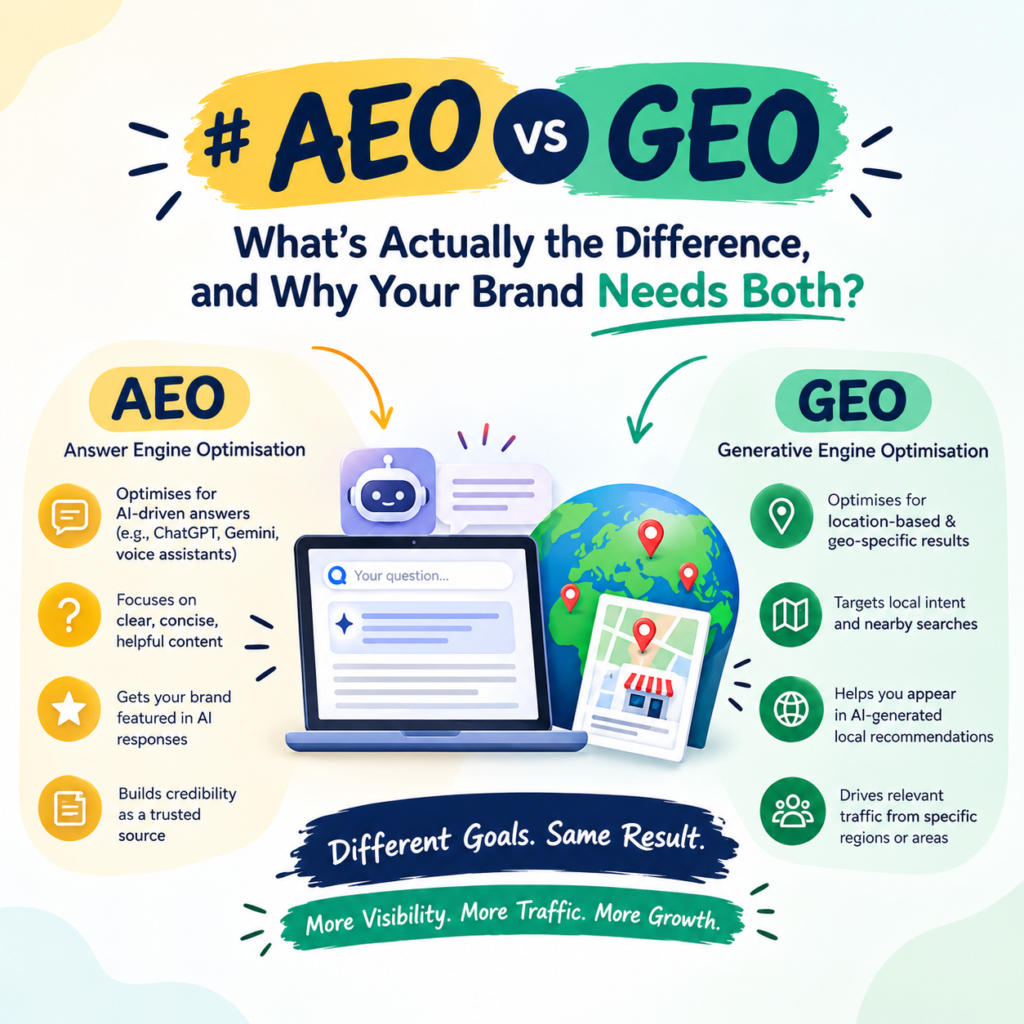
AEO vs GEO: What’s the Real Difference in 2026? | Digital Happiness ✦ Digital Happiness ✉ sam@digitalhappiness.in ☎ +91 70091 06028 Get a Free Audit → Home › Blog › AEO vs GEO AEO vs GEO: what’s actually the difference, and why your brand needs both Two acronyms are taking over marketing meetings in 2026. Here’s what Answer Engine Optimization and Generative Engine Optimization really mean, how they’re different, and how to build a strategy that gets your brand cited by Google, ChatGPT, Gemini and Perplexity alike. 📅 Updated Sept 2026 ⏱ 9 min read 🏷 AI Search Optimization 10 blue links — fewer clicks every quarter Cited: Your Brand one answer — zero clicks required Get a Free AI Visibility Audit → Book a Strategy Call // IN THIS ARTICLE Why AEO and GEO suddenly matter What is AEO (Answer Engine Optimization)? What is GEO (Generative Engine Optimization)? AEO vs GEO: the key differences at a glance Why your brand needs both, not one or the other How to optimize for AEO How to optimize for GEO How to measure AI search success Common AEO/GEO mistakes to avoid FAQs Why AEO and GEO suddenly matter # Search stopped being ten blue links a while ago. Now it’s a conversation. More than 30% of searches today start or end inside an AI tool rather than a traditional results page. Someone asks ChatGPT to compare vendors, asks Gemini to summarize a category, or asks Perplexity for a recommendation — and gets a single, confident answer with no scrolling required. If your brand isn’t the source behind that answer, you don’t just rank lower. You don’t exist in that conversation at all. That shift is why two new disciplines have moved from “nice to have” to core strategy: Answer Engine Optimization (AEO) and Generative Engine Optimization (GEO). They sound similar, get used interchangeably in most marketing content, and are genuinely different in practice. Getting the distinction right changes how you brief your content team, your dev team, and your SEO strategy as a whole. In one line: AEO wins you the answer box. GEO wins you the citation inside the AI’s answer, wherever that answer is generated. What is AEO (Answer Engine Optimization)? # Answer Engine Optimization is the practice of structuring your content so it can be lifted directly into an “answer slot” — a featured snippet, a voice search response, a People Also Ask box, or a Google AI Overview. The target isn’t a blue link position. It’s the answer position itself, above and outside the normal ranking list. AEO is largely won or lost on structure: A direct, quotable answer in the first 1–2 sentences under each heading Questions phrased the way real customers type or speak them Clean use of lists, tables and definitions that are easy to extract Schema markup (FAQ, HowTo, Article) that tells engines exactly what each block of content is Think of AEO as writing for a machine that needs to lift one clean paragraph out of your page and present it as the answer, with your brand attached to it. What is GEO (Generative Engine Optimization)? # Generative Engine Optimization is broader. It’s about how your brand gets referenced, described, and recommended inside AI-generated answers overall — not just in one answer box, but across ChatGPT conversations, Gemini summaries, and Perplexity research threads that may never touch a traditional search results page at all. GEO leans less on structure and more on authority and machine-readable identity: Being a clearly defined “entity” in Google’s Knowledge Graph and industry databases Earning mentions, backlinks and citations from sources AI models already trust Consistent facts about your brand across your website, directories and third-party content Content that reads as a reliable, citable source rather than promotional copy Where AEO optimizes a page, GEO optimizes your brand’s reputation across the entire web that AI models are trained on and retrieve from. Our GEO & AEO services are built to run both tracks together rather than treating them as separate projects. AEO vs GEO: the key differences at a glance # Factor AEO GEO Full name Answer Engine Optimization Generative Engine Optimization Primary goal Win the direct answer slot (snippet, voice, AI Overview) Get cited and recommended inside AI-generated answers Where it plays out Google search results and voice assistants ChatGPT, Gemini, Perplexity, Claude and similar tools Main lever Content structure, schema, direct-answer formatting Entity authority, citations, brand consistency Success metric Featured snippet capture, AI Overview appearances Brand mentions and citation frequency across AI platforms Timeframe Faster — weeks after structural fixes Slower — tied to model training and retrieval cycles Why your brand needs both, not one or the other # Treating AEO and GEO as competing strategies is the most common mistake we see. In practice they feed each other: the same well-structured, clearly-sourced content that wins a featured snippet is exactly the kind of content large language models prefer to cite. A page built only for GEO but ignoring answer-format structure will struggle to get pulled into Google’s AI Overview. A page built only for AEO but with no real authority behind it won’t get cited in a ChatGPT conversation that never touches Google at all. This is also why GEO/AEO doesn’t replace traditional SEO — it sits on top of it. Technical health, site speed, and backlink authority from our core SEO optimisation work remain the foundation. AEO and GEO are the layer that decides whether that foundation actually gets surfaced when someone asks an AI tool a question instead of typing a query. Not sure where your brand currently stands in AI search? We’ll show you exactly which questions AI tools are already answering about your industry — and whether your brand is anywhere in the response. Get a Free Audit → Email sam@digitalhappiness.in How to optimize for AEO # A practical AEO workflow looks like this: Map the exact questions your customers ask, in their words, not internal jargon Answer each question

local seo
Uncategorized

Local SEO guide

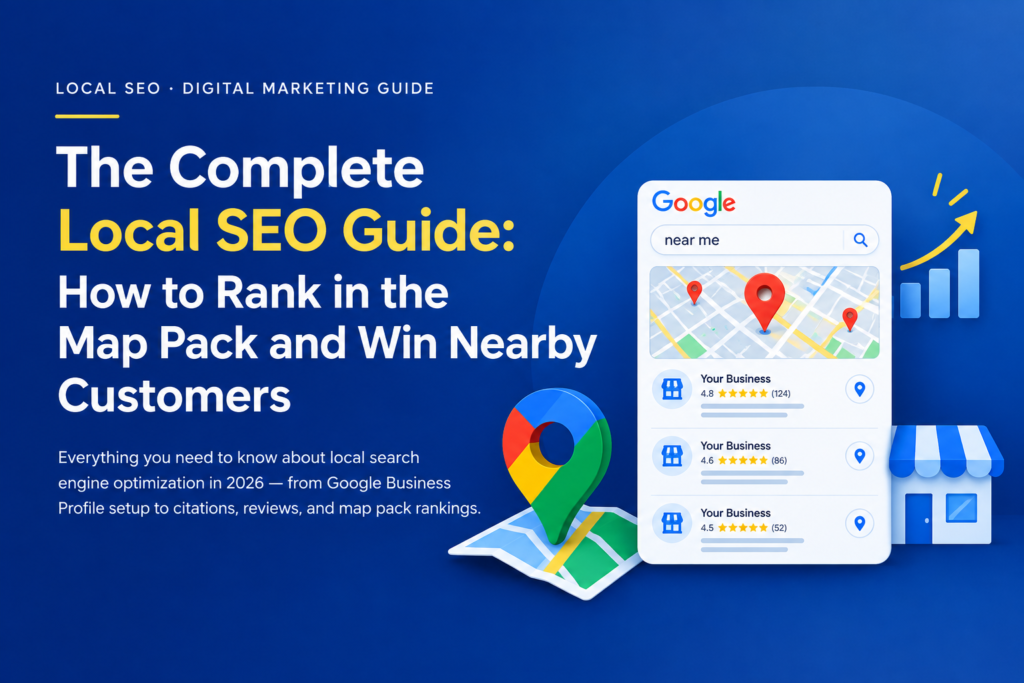
Local SEO Guide 2026: How to Rank in the Map Pack & Get More Local Customers | Digital Happiness Local SEO · Digital Marketing Guide The Complete Local SEO Guide: How to Rank in the Map Pack and Win Nearby Customers Everything you need to know about local search engine optimization in 2026 — from Google Business Profile setup to citations, reviews, and map pack rankings. 📅 Updated September 2026 ⏱ 11 min read ✍️ By Digital Happiness Jump to a section What Is Local SEO and Why It Matters How Google Ranks Local Businesses Step 1: Optimize Your Google Business Profile Step 2: Local Keyword Research Step 3: On-Page Local SEO & Location Pages Step 4: Local Citations & NAP Consistency Step 5: Reviews & Reputation Management Step 6: Local Link Building Common Local SEO Mistakes to Avoid How Digital Happiness Can Help Frequently Asked Questions What Is Local SEO and Why It Matters Local SEO (Local Search Engine Optimization) is the practice of optimizing your business’s online presence so it appears prominently when nearby customers search for your products or services — whether that’s in Google’s regular search results, Google Maps, or the “map pack” (the block of three local businesses shown at the top of local search results). If you run a clinic, restaurant, salon, law firm, real estate agency, or any business that serves customers in a specific city or neighborhood, local SEO is arguably more important than traditional national SEO. Nearly half of all Google searches have local intent, and searches like “near me” have grown dramatically as mobile search has taken over. 46% of Google searches have local intent 76% of local searchers visit a business within 24 hours Top 3 map pack listings get the majority of clicks In short: if your business isn’t visible in local search and the map pack, you’re handing ready-to-buy customers straight to your competitors. How Google Ranks Local Businesses Google’s local algorithm weighs three primary factors when deciding which businesses to show in local results and the map pack: Relevance — how well your Google Business Profile and website match what the searcher is looking for. Distance — how close your business location is to the searcher (or the location implied in their search). Prominence — how well-known and reputable your business is, based on reviews, citations, backlinks, and overall online presence. You can’t change your physical distance from every searcher, but relevance and prominence are entirely within your control — and that’s where a structured local SEO strategy pays off. Step 1: Optimize Your Google Business Profile (GBP) Your Google Business Profile (formerly Google My Business) is the single most influential asset in local SEO. It’s the listing that appears in Maps and the map pack, and Google leans on it heavily to decide relevance and prominence. A fully optimized Google Business Profile with accurate categories, photos, and posts. GBP optimization checklist Claim and verify your listing with your exact legal business name (no keyword stuffing). Choose the most accurate primary category, plus relevant secondary categories. Add complete NAP details — Name, Address, Phone — matching your website exactly. Upload high-quality photos and videos regularly. Use Google Posts weekly to share offers, updates, and events. Fill out the Q&A section proactively and monitor it for new questions. Set accurate service areas and business hours, including holiday hours. Related Service Google Business Profile Optimization by Digital Happiness → See how our Local SEO Services handle full GBP setup, categories, photos, posts, and ongoing management. Step 2: Local Keyword Research Local keyword research is about identifying how real customers in your city search for what you offer — combining your service with your location or intent modifiers like “near me,” “open now,” or a specific neighborhood name. Keyword Pattern Example Service + City “dentist in Mohali” Service + “near me” “emergency plumber near me” Service + Neighborhood “yoga studio Sector 70” Comparative / Best-of “best digital marketing agency in Punjab” Tools like Google Search Console, Google Keyword Planner, and platforms such as Search Atlas or SEMrush help uncover real search volume and competition for these local terms before you build content or landing pages around them. Step 3: On-Page Local SEO & Location Pages Once you know which local keywords matter, your website needs dedicated pages that actually target them. This typically means a well-optimized homepage plus individual location landing pages if you serve more than one city or region. Include your city/region naturally in title tags, H1s, and meta descriptions. Embed a Google Map of your business location on your contact page. Add locally relevant content — service areas, local landmarks, local case studies. Ensure your site is fast and mobile-friendly, since most local searches happen on mobile. Related Service On-Page & Technical SEO Optimisation → Explore how our SEO Optimisation service structures on-page elements, site speed, and content for stronger local and national rankings. Step 4: Local Citations & NAP Consistency A citation is any online mention of your business’s Name, Address, and Phone number (NAP) — on directories like Justdial, Sulekha, Google Business Profile, Facebook, or industry-specific listing sites. Consistency across every citation is a strong trust and prominence signal to Google. Pro tip: Even small inconsistencies — like “St.” vs “Street,” or an outdated phone number on one directory — can quietly hold back your map pack rankings. A citation audit is often the fastest local SEO win available. Consistent NAP data across directories builds trust with Google’s local algorithm. Step 5: Reviews & Reputation Management Review count, recency, and average star rating directly influence local rankings — and they heavily influence whether a searcher actually calls you or picks a competitor instead. Ask happy customers for a review immediately after a positive interaction. Respond to every review — positive and negative — professionally and promptly. Never buy or fake reviews; Google actively penalizes this and it damages trust. Make leaving a review as frictionless as possible with a direct review link. Step

How To Track Google AI Mode Traffic In Search Console
Uncategorized

How To Track Google AI Mode Traffic In Search Console

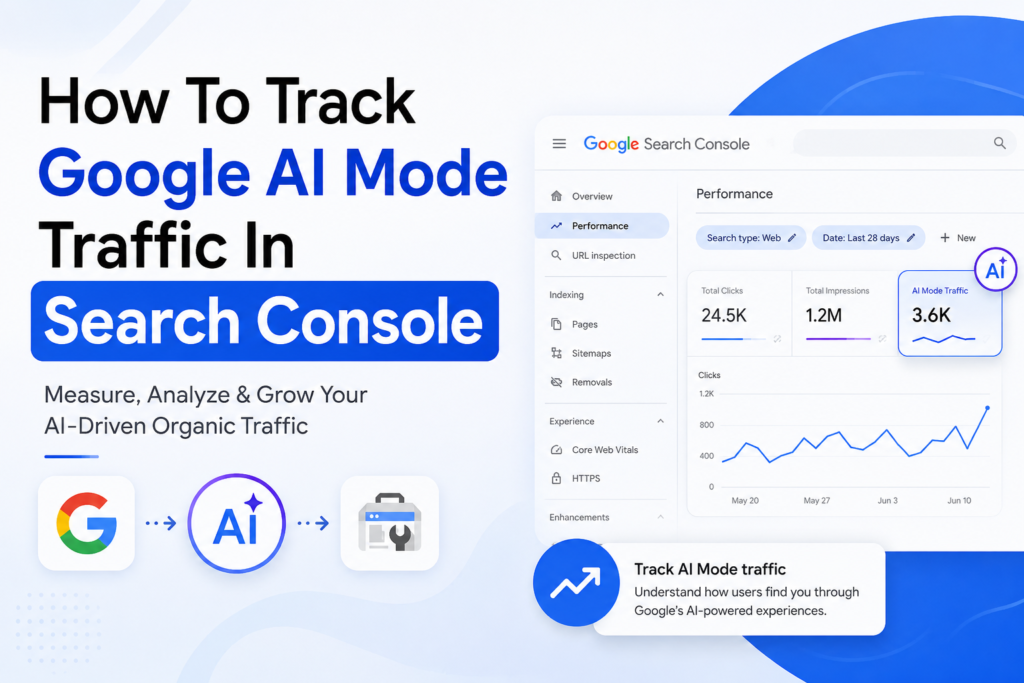
How To Track Google AI Mode Traffic In Search Console Digital Happiness · AI SEO Guide 2026 How To Track Google AI Mode Traffic In Search Console A practical, no-hype walkthrough for marketers and site owners who want to know how much of their visibility now comes from Google’s AI-powered search experiences — and what Search Console can (and can’t) tell you. Updated August 2026 · 12 min read Google Search isn’t just a page of blue links anymore. Between AI Overviews and AI Mode, more and more searches now surface answers, comparisons and recommendations directly inside the results page — sometimes before a user ever scrolls down to a traditional listing. That shift raises an uncomfortable question for every business owner and SEO professional: if someone discovers your brand through Google’s AI-powered search experience, how would you actually know? This guide walks through what Google Search Console shows today, what it still can’t isolate, and how to build a sensible tracking routine around it — without guessing. Table Of Contents What Is Google AI Mode? Why AI Mode Traffic Matters Can Search Console Track AI Mode Traffic? How To Check AI-Related Search Performance Step-by-Step Tracking Process Metrics You Should Monitor How To Identify AI Search Opportunities How AI Mode Changes SEO Common Tracking Mistakes How To Optimise Your Website For AI Search FAQs Final Takeaway Get Help From Digital Happiness What Is Google AI Mode? Google AI Mode is a search experience that lets users type complex, multi-part, conversational questions and get a synthesized, AI-generated response instead of (or alongside) a list of ranked links. It runs on Google’s Gemini models, supports follow-up questions in the same thread, and can accept text, images and voice as input. It’s related to, but distinct from, AI Overviews — the AI-generated summary box that can appear above traditional results for a regular search. AI Mode is more of a dedicated, chat-like search tab, while AI Overviews sit inside the classic results page. Google groups both under the umbrella of “generative AI features” in its own reporting. Traditional search still exists and still drives the majority of clicks for most sites — AI Mode hasn’t replaced it. What’s changed is that discovery can now happen in more than one format, and businesses need visibility into all of them. Traditional Search vs AI-Powered Search Traditional Search AI-Powered Search (AI Mode / AI Overviews) Blue links AI-generated responses, with cited sources Individual, isolated queries More conversational, multi-turn questions Click-focused discovery Answer- and recommendation-based discovery Traditional SERP layout AI-assisted, chat-style search experience Why AI Mode Traffic Matters For Businesses Every business already tracks organic clicks and impressions. AI-powered search adds a new layer worth watching: brand visibility, search queries, branded searches, long-tail and informational queries, local discovery, and — ultimately — conversions that may start inside an AI-generated answer rather than a traditional listing. “Your next customer may discover your brand through an AI-generated answer before they ever see a traditional search result.” Even where AI Mode doesn’t send a click directly, being cited or referenced inside an AI answer can shape whether a user searches your brand name next, visits your site later, or trusts you enough to convert when they land on your page from a normal search. Can Google Search Console Track Google AI Mode Traffic? This is the section most guides get wrong, so let’s be precise about what’s actually in the product today. On 3 June 2026, Google introduced dedicated Search Generative AI performance reports inside Search Console, under Performance → Generative AI. For the first time, this gives site owners a separated view of how often their pages appeared within generative AI features on Search — including AI Overviews and AI Mode — instead of having that data folded silently into the standard Performance report. You can read Google’s own announcement on the Search Central Blog. Here’s what that new report currently covers, and — just as important — what it leaves out: What The Generative AI Report Shows vs What It Doesn’t (Yet) Available Today Not Available Yet Impressions — how often a page appeared in a generative AI feature Clicks generated specifically from AI Mode or AI Overviews Pages/URLs that were surfaced CTR for generative AI impressions Country-level breakdown The actual query or prompt behind an AI impression Device breakdown A way to isolate AI Mode from AI Overviews or Discover’s AI features — they’re currently blended together Date trends, from hourly to monthly Access via the Search Analytics API or BigQuery bulk export — this data is UI-only for now Important limitation: the rollout began with a subset of UK-based site owners — tied to the UK Competition and Markets Authority’s Digital Markets Act requirements — and is expanding globally over time, with no confirmed date for full availability. If you don’t see “Generative AI” as an option in your Performance report yet, that’s the most likely reason, alongside your site simply not having enough AI impressions to report on. One more nuance worth knowing: Google has confirmed that generative AI impressions were always folded into your overall Performance totals — this report doesn’t change your aggregate numbers, it just gives you a dedicated lens on a slice of them that used to be invisible. For general guidance on reading Search Console data, Google’s own Search Console Help documentation is the most reliable reference to bookmark, since reporting features here continue to evolve. It’s also worth stating plainly: Search Console only measures Google Search. Traffic arriving from ChatGPT, Perplexity, Microsoft Copilot, Claude, or the standalone Gemini app is referral traffic from those platforms and needs to be tracked separately in an analytics tool like GA4 — Search Console has no visibility into it at all. How To Check AI-Related Search Performance Until the Generative AI report is fully rolled out to your property, or even alongside it, the standard Performance report is still your main working tool. Search Console reports the following core metrics, each useful

How to convert clicks into customers using SEO, Google Ads, Meta Ads, Local SEO, and AI SEO
Uncategorized

How to convert clicks into customer?

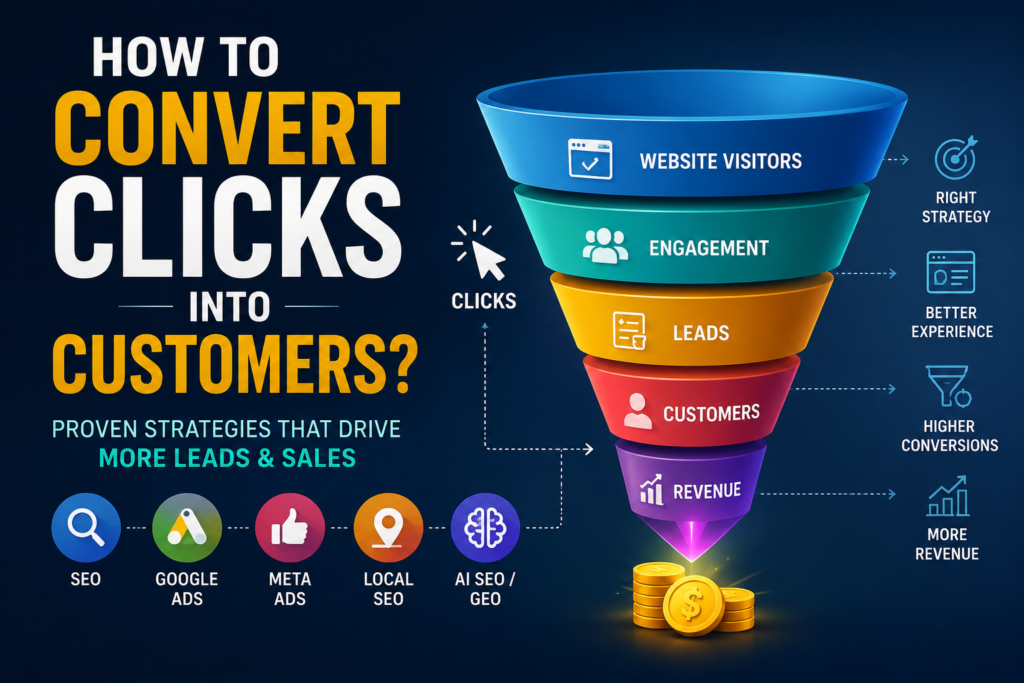
✦ Digital Happiness Home › Blog › How to Convert Clicks Into Customers Growth & Conversion How to Convert Clicks Into Customers? 10 Proven Strategies ~7 MIN READ · SEO · PAID MEDIA · CRO · LOCAL · AI SEARCH SEO / Google Ads / Meta Ads → Click → Website → Lead → Customer → Revenue Table of Contents + Table of Contents Why Clicks Don’t Become Customers Understand Search Intent Optimize Your Website for Conversions Create Landing Pages That Convert Use SEO to Attract High-Intent Visitors Optimize Google Ads & Meta Ads Use Local SEO to Capture Nearby Customers Use AI SEO and GEO/AEO Build Trust With Content and Social Proof Track and Optimize Conversions FAQs Final Thoughts Getting started Getting Clicks Is Not Enough—You Need Customers A business can receive hundreds, even thousands, of website clicks a month and still generate very few enquiries or sales. That gap exists because clicks and customers are not the same thing — a click only marks the start of a journey: Traffic → Engagement → Lead → Customer → Revenue. If you’re wondering how to convert clicks into customers, the solution isn’t simply getting more traffic. You need to optimize what happens after visitors arrive on your website. This guide covers SEO, landing pages, CTAs, Google Ads, Meta Ads, Local SEO, website optimization and conversion tracking — everything that sits between a click and a paying customer. Get Your Free Website Audit The core problem Why Are Your Website Clicks Not Converting? Before fixing anything, it helps to know where clicks typically fall through. The most common reasons visitors don’t convert: Wrong audience or wrong search intent Weak landing page or unclear offer Poor CTA, or none at all Slow website or poor mobile experience Lack of trust Complicated forms No follow-up The takeaway: more traffic does not automatically mean more customers. Fixing what happens after the click — not just driving more of it — is where convert website visitors into customers strategies actually pay off, and where most website conversion strategies should start. Before you drive more traffic Understand Search Intent Before Driving More Traffic Intent matters more than volume. A visitor’s search reveals how close they are to making a decision: Informational: “What is SEO?” Commercial: “Best SEO services for small businesses” Transactional: “Hire an SEO agency” High-intent visitors are generally more valuable, because they’re closer to making a decision — which is exactly what turns qualified traffic into leads rather than bounce-backs. Getting this targeting right is a core part of what SEO Services should be built around. Where clicks are lost Optimize Your Website to Convert More Visitors Your website should guide every visitor toward one clear action. That means: Clear navigation and a strong headline Mobile responsiveness and fast loading Easy-to-find contact information Clear CTAs and visible trust signals Simple forms and conversion-focused UX Traffic → Relevant Page → Clear Offer → CTA A site built this way is what turns generic traffic into a genuinely conversion-focused website — and it’s the fastest way to improve conversion rate across every channel you run. This is the foundation of Website Optimization. Purpose-built pages Create Landing Pages Designed for Conversion The strongest landing pages follow a predictable structure: Headline ↓ Problem ↓ Solution ↓ Benefits ↓ Social Proof ↓ Call to Action Alongside that structure: one primary goal per page, benefit-driven copy, supporting images, real testimonials, a clear CTA, and minimal distractions. This is landing page optimization in practice, and it’s the difference between a page that just gets traffic and one built as a true conversion-focused website. Organic growth Use SEO to Attract Visitors Who Are Ready to Buy SEO isn’t just rank → traffic. The version that actually grows a business looks like this: Search Intent → Ranking → Qualified Traffic → Lead → Customer That means targeting commercial and transactional keywords, long-tail queries, relevant landing pages, deliberate internal linking, content clusters and solid technical SEO. The goal is qualified traffic, not traffic for its own sake — the same principle behind SEO for lead generation. See how it comes together through SEO Services and Content Strategy. Paid media Optimize Google Ads and Meta Ads for Conversions Google Ads captures people who are already searching for a solution. Meta Ads can create demand, target specific audiences, and retarget previous visitors who didn’t convert the first time. A cheap click isn’t necessarily a valuable click. Track cost per lead, conversion rate, customer acquisition cost and ROAS — and make sure your ad message matches your landing-page message. Done well, this is how paid traffic and retargeting turn into real customer acquisition, not just spend. Explore Google Ads Services and Meta Ads Services. Nearby demand Use Local SEO to Turn Nearby Searches Into Customers Local Search → Google Business Profile → Website / Call → Enquiry → Customer Winning local search comes down to a well-optimized Google Business Profile, strong local rankings, consistent reviews, dedicated location pages, local keywords, and accurate NAP consistency. This is what Local SEO Services is built to deliver — connecting local search and local leads directly to local customers. What’s changing Use AI SEO and GEO/AEO to Reach Customers Through AI Search People increasingly discover information through Google, AI search engines, ChatGPT, Gemini and Perplexity. AI SEO optimization and answer engine optimization (AEO/GEO) focus on improving a brand’s visibility inside AI-generated answers, so you’re recommended before a traditional click ever happens. Learn more through AI SEO Services and GEO/AEO Services. Conversion funnel SEOGoogle AdsMeta AdsLocal SEOAI Search ↓ CLICKS→ WEBSITE→ ENGAGEMENT→ LEAD→ CUSTOMER→ REVENUE Before the ask Build Trust Before Asking Visitors to Buy Trust is what turns interest into action. Use testimonials, reviews, case studies, client results, FAQs, certifications, statistics and expert content to move visitors through a clear arc: Educate → Build Trust → Remove Objections → Convert This is the real job of a conversion strategy built around customer trust — turning content into qualified leads, not

How to Get Your Business Found First in Your City
Uncategorized

How to Get Your Business Found First in Your City

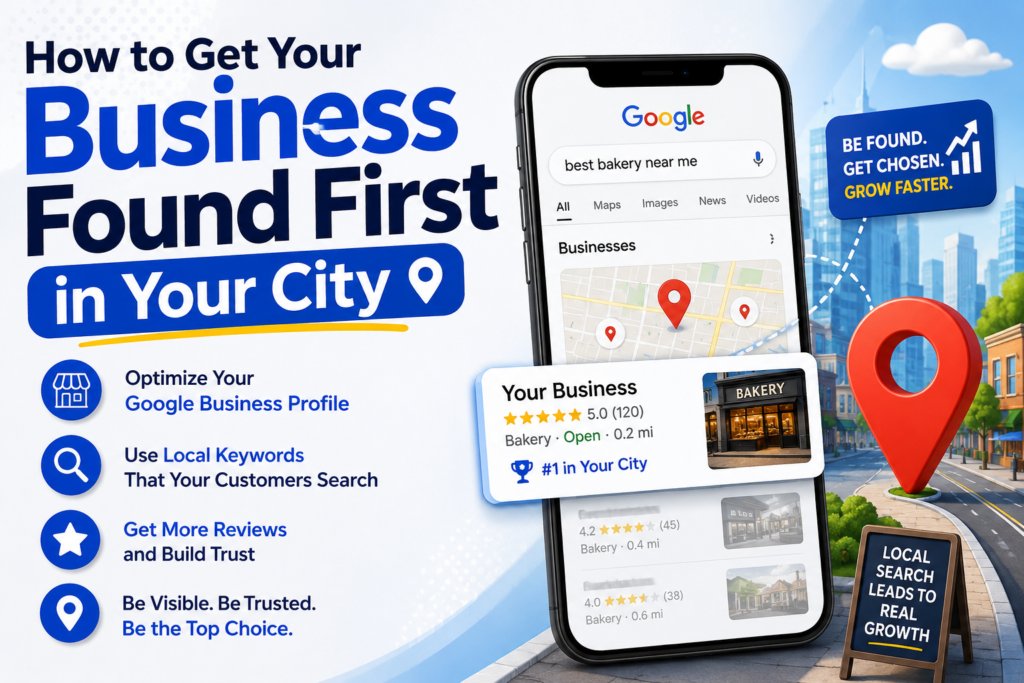
Local SEO in 2026: The Complete Guide to Ranking Higher in Your City | Digital Happiness 📍 Local SEO Guide 2026 Local SEO: How to Get Your Business Found First in Your City A practical, step-by-step guide to ranking in the Google Map Pack, winning “near me” searches, and turning local visibility into paying customers. By Digital Happiness 12 min read Updated August 2026 Table of Contents What Is Local SEO? Why Local SEO Matters in 2026 Google’s Local Ranking Factors Google Business Profile Online Reviews NAP Citations On-Page Local SEO Local Link Building Step-by-Step Local SEO Strategy Common Local SEO Mistakes Helpful Local SEO Tools Frequently Asked Questions Get Local SEO Help If your business serves customers in a specific city, town, or neighbourhood, showing up when someone nearby searches “near me” isn’t optional anymore — it’s the difference between a full calendar and an empty one. That’s the entire job of local SEO: making sure your business is the one Google shows first to people who are ready to visit, call, or buy right now. In this guide, we’ll break down exactly how local search ranking works in 2026, the ranking factors that actually move the needle, and a step-by-step local SEO strategy you can start using today. Fig 1 — The “Map Pack” is the top 3 local listings Google shows for location-based searches. What Is Local SEO? Local SEO (local search engine optimisation) is the process of improving your business’s visibility in location-based search results — primarily the Google Map Pack, Google Maps, and localised organic listings. Unlike traditional SEO, which competes for rankings on a national or global scale, local SEO strategy focuses on ranking within a specific geographic radius: your city, your service area, or even a few kilometres around your storefront. Local SEO matters most for businesses with a physical location or a defined service area — restaurants, clinics, law firms, home services, salons, retail stores, and agencies that serve clients in specific regions. Quick definition Local SEO = Google Business Profile optimisation + local citations + reviews + location-specific content, all working together to rank your business in local search results. Why Local SEO Matters in 2026 Consumer behaviour has shifted permanently toward “near me” and voice-based local searches. A business that isn’t optimised for local search is essentially invisible to a huge share of ready-to-buy customers. 76%of “near me” searchers visit a business within 24 hours Top 3Map Pack listings get the vast majority of local clicks 28%of local searches result in a purchase These numbers explain why ranking in the local 3-pack is one of the highest-ROI investments a local business can make — it captures customers at the exact moment they’re deciding where to go. Google’s Local Ranking Factors Google evaluates three core signals when deciding which businesses to show for a local query: relevance, distance, and prominence. Here’s how to influence each one. 1. Google Business Profile (GBP) Your Google Business Profile is the single most important local SEO ranking factor. A fully optimised, verified, and regularly updated profile signals trust and relevance to Google. Choose accurate primary and secondary business categories Add complete business hours, service areas, and attributes Upload real, high-quality photos of your location, team, and work Post updates, offers, and events weekly through GBP Posts Answer the Q&A section proactively Fig 2 — An optimised Google Business Profile is the foundation of local SEO. 2. Online Reviews Review count, review velocity (how frequently new reviews come in), average rating, and how you respond to reviews all directly impact local rankings — and influence whether a searcher chooses your business over a competitor. Ask happy customers for a review at the moment of highest satisfaction Respond to every review — positive and negative — professionally and promptly Naturally include keywords in your responses where relevant (e.g. “Thanks for trusting us with your plumbing repair in [city]”) 3. NAP Citations A citation is any online mention of your business Name, Address, and Phone number (NAP) — on directories, industry sites, and local publications. Consistency is critical: even small discrepancies (a suite number missing, an abbreviated street name) can dilute local ranking signals. List your business on major directories (Google, Bing Places, Apple Maps, Yelp) Get listed on industry-specific and local city directories Audit and correct inconsistent NAP data across the web 4. On-Page Local SEO Your website itself needs to signal geographic relevance clearly to both users and search engines. Create a dedicated, keyword-optimised location page for each city or area you serve Embed a Google Map and local schema markup (LocalBusiness structured data) Use your city/region naturally in title tags, headers, and body content Ensure your site is mobile-friendly and loads quickly — local searches are overwhelmingly mobile 5. Local Link Building Backlinks from locally relevant, authoritative websites (local news outlets, chambers of commerce, community blogs, sponsorships) strengthen your prominence signal and help you outrank competitors who rely only on national link profiles. 🔗 Want this handled for you end-to-end? Our Local SEO services cover Google Business Profile management, citation building, and review growth — combined with our core SEO optimisation for long-term organic growth. Step-by-Step Local SEO Strategy Here’s how to put all the ranking factors above into a practical, sequenced local SEO strategy. 01 Claim and fully optimise your Google Business Profile This is your foundation. Verify ownership, complete every field, and add fresh photos and posts weekly. 02 Run local keyword research Identify how your customers search — “[service] in [city]”, “[service] near me”, “best [service] [neighbourhood]” — and map these primary and secondary keywords to specific pages. 03 Build and clean up citations Get listed consistently across major and niche directories, and fix any conflicting NAP data already online. 04 Build a review generation system Set up an automated, ethical process for requesting reviews after every positive interaction. 05 Publish location-specific content Create dedicated landing pages per service area, plus blog content answering local customer questions. 06 Earn local backlinks

bakery supplies
Uncategorized

The Complete Guide to Bakery Supplies for Every Baking Business

Bakery Supplies Guide: Cupcake Liners, Baking Cups & Cake Boards | Sweet Flavor The Complete Guide to Bakery Supplies for Every Baking Business From cupcake liners to cake boards — everything you need to stock a professional bakery, home kitchen, or catering operation, backed by wholesale pricing and same-day shipping. Shop Bakery Supplies Now In This Guide What Are Bakery Supplies (and Why They Matter) Cupcake Liners & Muffin Baking Cups Aluminum Foil Baking Cups for Professional Presentation Cake Boards & Dessert Display Solutions Choosing the Right Bakery Supplies for Your Business Pairing Bakery Supplies with Catering Essentials Frequently Asked Questions What Are Bakery Supplies (and Why They Matter) Bakery supplies are the disposable and reusable tools that help bakers bake, present, and sell their products safely and beautifully — think cupcake liners, baking cups, cake boards, and packaging. Whether you run a home bakery, a high-volume commercial kitchen, or a catering business, the right bakery supplies are the difference between a rushed bake and a polished, professional result. At Sweet Flavor, every item is food-safe, FDA-approved, and ships the same day — so you’re never caught short before a big order. Cupcake Liners & Muffin Baking Cups Greaseproof cupcake liners keep presentation clean and retail-ready. Our paper cupcake and muffin liners are Kraft heavy-duty and greaseproof, rated to withstand temperatures from -40°F to 482°F — safe for the oven, microwave, steam table, and refrigerator. They come in standard, greaseproof, and patterned styles for cupcakes, muffins, breads, and cookies. Non-stick, greaseproof construction Available in white, brown Kraft, and patterned designs Sold by the bag or case for bulk savings Aluminum Foil Baking Cups for Professional Presentation For crème brûlées, individual pastries, and portion-controlled desserts, aluminum baking cups offer oven-safe, even heat distribution and a polished finished look. They’re a favorite for catering companies setting up dessert stations and food trucks serving individually portioned baked goods. Leak-proof and leak-resistant for wet batters Available in gold, red, and natural finishes Ideal for catering events and corporate functions Browse the full range in our bakery supplies collection. Cake Boards & Dessert Display Solutions Showcase your baked goods with single-serve cake boards in circular, square, and rectangular shapes, or step up to a larger dessert pastry board for bigger displays. Made from thick, laminated materials with convenient side tabs, they’re sturdy enough to carry a fully dressed cake without bending. Elegant gold and classic finishes Durable, laminated construction Perfect for weddings, bakeries, and grab-and-go pastry counters Ready to stock up on wholesale bakery supplies? Browse Bakery Supplies → Choosing the Right Bakery Supplies for Your Business Not every operation needs the same commercial bakery supplies. Here’s how demand typically breaks down: Home bakers & cottage food operators — smaller bulk counts of liners and boards to upgrade presentation without overbuying. Professional pastry kitchens — consistent, high-volume liner and baking cup needs with reliable reorder cycles. Catering companies — aluminum baking cups and display boards for dessert stations at events. Food trucks — individually portioned, self-contained baking cups for grab-and-go service. Grocery store bakery departments — high-volume liners with dependable, same-day-ship supply. Whether you’re baking 50 muffins for a Saturday market or 5,000 cupcakes for a wedding, wholesale pricing and same-day shipping mean you never run short mid-production. Pairing Bakery Supplies with Catering Essentials Bakery supplies rarely work in isolation. Pair your cupcake liners and cake boards with disposable plates, take-out containers, and catering supplies for a complete presentation and packaging solution — from the display table to the customer’s hands. Frequently Asked Questions What are the most essential bakery supplies for a new business? Start with cupcake liners, baking cups, and cake boards — these cover the core presentation needs for most baked goods. Add aluminum baking cups if you’re catering or portioning individual desserts. Are Sweet Flavor’s bakery supplies food-safe? Yes. All bakery supplies are food-safe and FDA-approved, and the plastic items are certified recyclable. Can I order bakery supplies in bulk for wholesale pricing? Yes. Most bakery supplies are sold by the case with wholesale pricing built in, and orders ship the same day. What temperature can cupcake liners and baking cups withstand? Our Kraft heavy-duty greaseproof liners are rated for -40°F to 482°F, making them safe for the oven, microwave, steam table, and refrigerator. Do you offer eco-friendly bakery and catering supplies? Yes. Alongside standard bakery supplies, Sweet Flavor carries bamboo, bagasse, and biodegradable catering supplies for businesses that want a sustainable option. Get Your Bakery Stocked Today Wholesale pricing, same-day shipping, and a team that actually picks up the phone. Shop bakery supplies or reach out for a personalized quote. Shop Bakery Supplies 📞 Call (305) 685-8810 ✉️ Email Us Sweet Flavor · 14501 NW 57th Ave, Suite 104, Miami Lakes, FL 33054